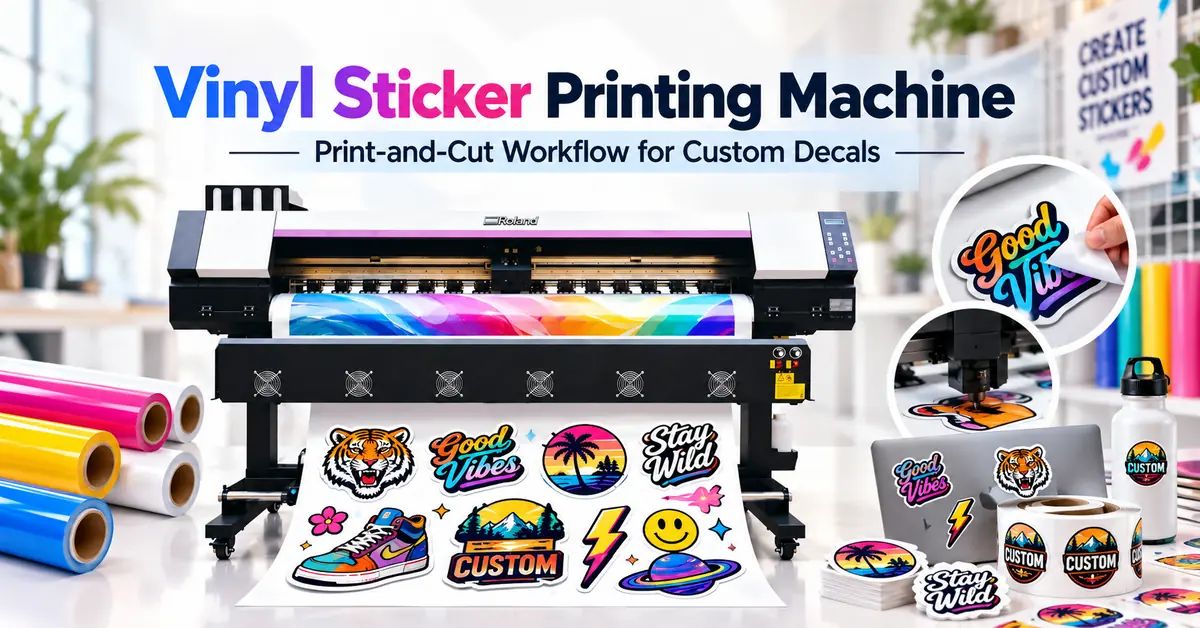
TL;DR: The best vinyl sticker printing machine for a commercial sticker business is one that produces consistent graphics on compatible adhesive vinyl and fits a reliable printing, drying, laminating, and contour-cutting workflow. An eco-solvent roll-to-roll printer can be a practical choice for producing custom decals, promotional stickers, retail labels, and signage graphics. However, buyers must evaluate the complete production system, not just the printer's maximum speed or purchase price.
For sticker manufacturers, digital print shops, and custom branding businesses, the main challenge is turning printed vinyl into accurately cut, application-ready products with minimal material waste.
A printer may produce excellent colors but still cause production losses if the adhesive film curls, the ink is laminated too early, or cutting registration is inaccurate.
This guide explains the major equipment requirements, compares X-Roland printer configurations, and provides practical methods for calculating sticker production costs and selecting the right equipment.
How Do Vinyl Sticker Printing Solutions Compare?
The first purchasing decision is choosing the appropriate printing technology and production workflow.
| Comparison Factor | Eco-Solvent Roll Printer | UV Roll-to-Roll Printer | Desktop Inkjet + Cutter |
|---|---|---|---|
| Primary application | Commercial adhesive vinyl graphics and decals | Compatible UV-printable films and specialty graphics | Small-scale sticker and craft production |
| Production format | Roll-fed commercial printing | Roll-fed UV printing | Usually smaller sheets or rolls |
| Ink process | Solvent evaporation and drying | UV curing | Depends on ink technology |
| Finishing | Drying, optional/required lamination, cutting | Curing, appropriate finishing, cutting | Coating or lamination as required |
| Suitable business | Sticker shops, signage companies, commercial graphics producers | Specialty graphic manufacturers | Hobbyists and low-volume businesses |
| Main consideration | Film compatibility and production workflow | Ink flexibility and UV-film compatibility | Limited throughput and media options |
Practical recommendation: For businesses manufacturing adhesive vinyl decals at commercial volumes, an appropriately configured eco-solvent printer is a strong option to evaluate. UV printing may be appropriate for qualified specialty materials, while desktop systems may better suit smaller production requirements.
Explore the X-Roland eco-solvent printer collection to compare available equipment configurations.
Key Takeaways
-
Choose equipment based on finished stickers, not printed area alone. Cutting accuracy, material utilization, and rejection rates affect profitability.
-
Match ink and adhesive film carefully. Not every printable vinyl works with every printing technology.
-
Plan for lamination and cutting. A roll-fed printer does not automatically include a contour cutter or laminator.
-
Measure acceptable production output. Manufacturer-listed printing speed is different from finished sticker production capacity.
-
Calculate cost per accepted sticker. Include media, ink, lamination, cutting, labor, maintenance, and waste.
-
Verify the manufacturer's equipment configuration. Request samples using the actual vinyl material and artwork.
What Is a Vinyl Sticker Printing Machine?
A vinyl sticker printing machine is equipment used to reproduce designs onto compatible adhesive vinyl materials.
The printed graphics are then converted into finished stickers through drying or curing, protective finishing where needed, and cutting.
Commercial products include:
-
Custom business logo stickers
-
Promotional brand decals
-
Product identification and decorative labels
-
Retail window stickers
-
Packaging decoration stickers
-
Outdoor advertising decals
-
Equipment and industrial identification graphics
-
Personalized stickers for e-commerce brands
Depending on the product, stickers may be supplied individually, arranged on sheets, or kept on rolls.
Who Should Invest in Commercial Sticker Printing Equipment?
Commercial equipment is most relevant to companies producing recurring orders, multiple sticker designs, or larger quantities of adhesive graphics.
These include signage manufacturers, wholesale sticker suppliers, personalized product businesses, advertising workshops, and packaging-related print service providers.
A business producing only occasional small sticker orders may find outsourcing or a smaller print-and-cut system more economical.
Which Printable Vinyl Materials Should You Use?
Material compatibility strongly influences sticker appearance, adhesion, durability, and cutting performance.
| Vinyl material | Common application | Important selection factor |
|---|---|---|
| White gloss printable vinyl | Promotional stickers and branding decals | Color appearance and surface finish |
| White matte printable vinyl | Decorative stickers and indoor labels | Matte appearance and ink compatibility |
| Clear printable vinyl | Window graphics and transparent decals | Transparency and white-ink requirements |
| Removable adhesive vinyl | Temporary promotions and selected retail graphics | Removability and surface compatibility |
| Permanent adhesive vinyl | Longer-term graphic applications | Adhesion, durability and removal consequences |
| Cast printable vinyl | Demanding curved-surface applications | Conformability and dimensional stability |
Not all materials in these categories are compatible with eco-solvent ink. Each product requires confirmation from its media supplier.
For transparent stickers, standard CMYK-only printing may not produce the required opacity on dark backgrounds. Buyers needing opaque white graphics should confirm that the proposed printer supports the necessary white-ink configuration.
A printable film should also be tested on its actual application surface, such as glass, coated metal, plastic, or packaging.
Which X-Roland Vinyl Sticker Printers Are Worth Comparing?
X-Roland, associated with Guangzhou Jihui Electronic Equipment Co., Ltd., offers commercial roll-fed printing systems with different printing widths, printhead quantities, and production configurations.
The following models provide useful comparison points.
Technical Specification Comparison
| Model | Printhead configuration | Listed media/print width | Published 4-pass speed | Potential application |
|---|---|---|---|---|
| XL-1601H | 1 × Epson I3200 | 1600 mm media | 23 m²/h | Small and growing sticker businesses |
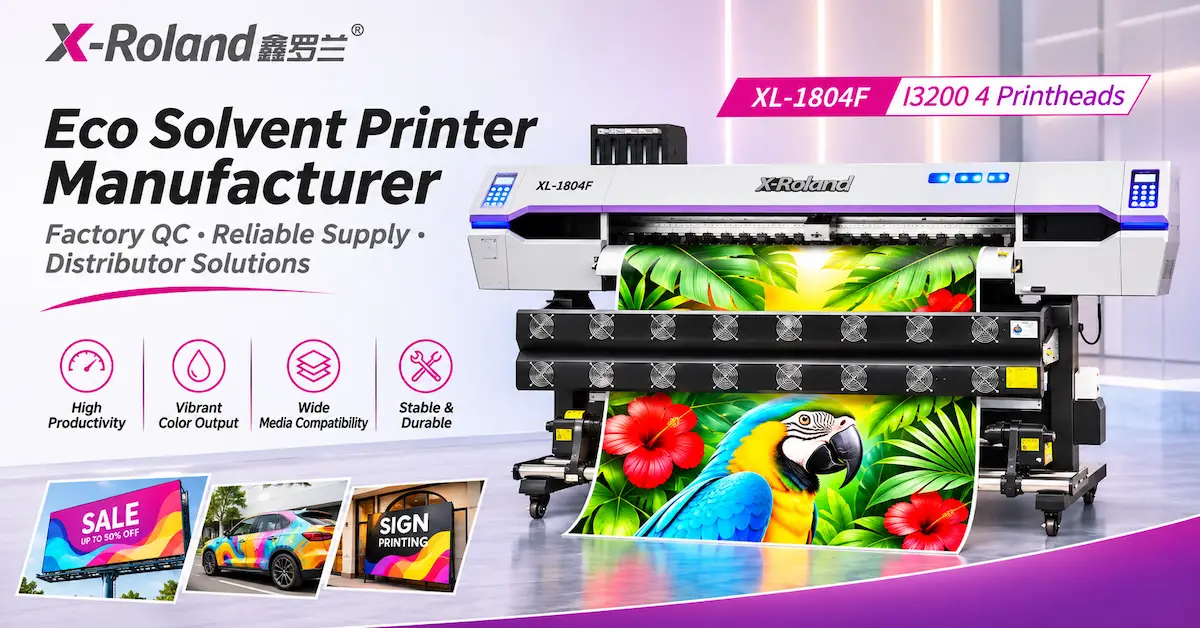
| XL-1804F | 4 × Epson I3200 | 1850 mm media | 76 m²/h | Higher-throughput commercial graphics |
| XL-2500Y | 2 × I3200 option | 2500 mm print width | 38 m²/h | Mixed wide-format advertising and decals |
| XL-3202Q | 2 × I3200 option | 3200 mm listed width | 30 m²/h | Larger-format commercial graphics |
These figures are taken from X-Roland's published specifications. They are reference speeds under stated configurations, not measured finished-sticker production speeds. Exact ink systems, printable widths, compatible films, and current equipment availability must be confirmed.
XL-1601H: A Practical Starting Point for Commercial Decals
The X-Roland XL-1601H I3200 Printer features a single Epson I3200 printhead, 1600mm media width, a continuous ink supply system, and three-stage drying.
It is worth evaluating for sticker businesses requiring roll-fed printing capacity without automatically moving to a larger multi-head production system.
XL-1804F: Higher-Output Graphics Production
The X-Roland XL-1804F Four-Head Printer lists four Epson I3200 printheads, 1850mm media width, automatic cleaning, and integrated drying.
Its published configuration makes it relevant to businesses investigating higher printing throughput.
However, the selected machine must be configured for compatible eco-solvent inks and tested with the intended adhesive vinyl.
XL-2500Y: Wider Commercial Printing Capability
The XL-2500Y Dual-Head Printer offers a listed 2500mm maximum printing width, dual-head options, continuous ink supply, and media take-up features.
It may appeal to advertising manufacturers that want to produce stickers alongside larger signage and promotional graphics.
A wider printer is not automatically more cost-effective for small stickers. Media nesting, cutting equipment width, and order volume must also be considered.
Important: The X-Roland models discussed here are roll-fed printers. Their listed specifications do not establish that integrated contour cutting is included. Buyers requiring complete print-and-cut production should request confirmation of compatible finishing equipment.
How Does the Vinyl Sticker Printing Process Work?
A commercial sticker production process generally involves six stages.
Step 1: Prepare the Artwork and Cut Contours
Create the design in suitable graphics software.
Ensure the file includes the required dimensions, bleed, and contour-cut paths.
For print-and-cut workflows, the RIP and cutting software must correctly interpret the cutting information and registration marks.
Step 2: Select the Vinyl and Printing Profile
Choose a qualified adhesive vinyl film and match it with the correct printer, ink, and ICC profile.
Incorrect ink limits may create drying difficulties or image-quality problems.
Step 3: Print and Inspect
Print a test section to assess color, fine text, gradients, alignment, and banding.
For repeat orders, save approved settings and compare future batches against the original reference.
Step 4: Allow Adequate Drying
Eco-solvent graphics require appropriate solvent evaporation before subsequent finishing.
Arlon's technical guidance, Contour Cutting and Laminating Printed Vinyl, recommends at least 24 hours of drying for the relevant solvent-printed graphics before contour cutting or overlamination.
Other films and ink systems may require different periods.
A print that feels dry to the touch is not necessarily ready for finishing.
Step 5: Laminate When Required
Apply a compatible laminate when the product requires additional abrasion protection, environmental resistance, or a particular finish.
3M's Production: Lamination guidance explains that inadequate drying of solvent and eco-solvent graphics can contribute to curling, shrinkage, and adhesion problems.
Follow the instructions for the selected printable film and overlaminate.
Step 6: Contour Cut and Inspect
Use a compatible cutting system to produce the desired sticker shapes.
Depending on the product, the cutting process may create individual stickers or kiss-cut stickers retained on their backing liner.
Inspect finished products before packaging or dispatch.
Kiss-Cut vs Die-Cut Stickers: Which Production Method Is Better?
These two formats serve different commercial requirements.
| Feature | Kiss-Cut Stickers | Die-Cut Stickers |
|---|---|---|
| Cutting depth | Cuts the sticker layer while retaining the backing | Cuts through sticker and backing to finished shape |
| Finished format | Sticker remains on a larger liner or sheet | Individual shaped stickers |
| Typical application | Sticker sheets, grouped labels, easy-peel products | Promotional logo decals, giveaways, retail stickers |
| Main requirement | Accurate cutting pressure and liner preservation | Accurate perimeter shape and finishing |
| Production consideration | Sheet layout and peeling convenience | Individual handling, sorting and packing |
A sticker business selling personalized sticker sheets may prioritize accurate kiss-cutting and layout efficiency.
A business producing individual logo decals may prioritize contour accuracy and clean finished edges.
Neither format is universally more profitable. Order size, labor requirements, customer expectations, and available cutting equipment determine the best approach.
Why Is Contour Cutting Accuracy So Important?
A vinyl sticker printing machine may produce visually accurate graphics, but inaccurate cutting can make them unsellable.
Common problems include white borders of uneven width, cuts entering printed artwork, incomplete separation, and inaccurate alignment between printed designs and cutting paths.
Main Causes of Cutting Errors
Registration problems: The cutter cannot accurately read or interpret print registration marks.
Media distortion: Heating, solvent retention, excessive tension, or unsuitable film can affect dimensions.
Incorrect cutting settings: Excessive blade pressure can damage the liner, while insufficient pressure leaves stickers incompletely cut.
Software mismatch: RIP, design, and cutting software may use incompatible contour settings.
Long-run tracking errors: Feeding inaccuracies can accumulate over longer printed rolls.
Recommended Quality-Control Test
Request a representative production sample containing small circular stickers, rectangular labels, complex contours, fine text, and solid-color graphics.
Print the sample, complete the required drying and lamination, then perform the planned cutting process.
Inspect multiple locations across the printed roll—not just one sticker near the center.
Record the accepted quantity, rejected quantity, and main causes of cutting loss.
This test is more useful than evaluating print resolution alone.
How Much Does a Vinyl Sticker Printing Machine Cost to Operate?
The most useful commercial metric is cost per accepted finished sticker.
Total production costs include adhesive vinyl, ink, cleaning consumables, optional laminate, cutting materials, labor, machine maintenance, electricity, packaging, and rejected products.
Cost Calculation Example
Consider a hypothetical production batch:
| Cost component | Illustrative amount |
|---|---|
| Printable vinyl | $35 |
| Ink and cleaning allocation | $12 |
| Lamination materials | $22 |
| Cutting and finishing labor | $30 |
| Energy and maintenance allocation | $11 |
| Packaging and other attributable expenses | $10 |
| Total batch cost | $120 |
Suppose the batch produces 1,000 attempted stickers, with 925 accepted after inspection.
Cost per accepted sticker = $120 ÷ 925 = approximately $0.13
These figures are illustrative, not verified X-Roland production data or supplier quotations.
The example demonstrates why acceptance rate matters. Production cost must be allocated across the stickers that can actually be sold.
For reliable costing, sticker manufacturers should also track material utilization, artwork changeovers, lamination losses, cutting time, and any additional overhead not already included.
What Determines Sticker Production Capacity?
Printer speed is only one part of production capacity.
A business producing small stickers must also consider how many designs fit within the available printing area and how quickly they can be finished.
A practical formula is:
Accepted stickers per hour = Attempted finished stickers per hour × Acceptance rate
The attempted finishing rate should reflect actual bottlenecks in printing, drying, laminating, contour cutting, and inspection.
For example, a printer may be capable of producing a large printed area quickly, but a slower cutting process can limit how many finished stickers the shop delivers each day.
How to Reduce Material Waste
Use efficient artwork nesting, compatible film widths, appropriate cutting margins, and repeatable production templates.
Group similar orders when practical to reduce setup time.
Avoid printing excessive quantities before confirming color, drying, and cutting performance.
The most productive workflow is the one that balances all stages of production rather than maximizing printer speed alone.
What Should Buyers Check Before Purchasing?
A reliable equipment selection should include a complete application and factory evaluation.
Equipment and Supplier Checklist
| Evaluation item | What buyers should request |
|---|---|
| Printer configuration | Exact model, printheads, ink system, media width |
| Material compatibility | Samples using the intended printable vinyl |
| Print quality | Color, detail, gradients, repeatability |
| Drying system | Appropriate settings and processing instructions |
| Cutting workflow | Separate cutter requirements, software compatibility |
| Lamination | Compatible materials and processing conditions |
| Production performance | Accepted stickers per hour under representative conditions |
| Quality control | Sample inspection and factory testing information |
| Maintenance | Consumables, cleaning, spare parts and service arrangements |
| Commercial terms | Quotation, delivery, warranty and support scope |
An equipment supplier should also explain which accessories are included and which must be purchased separately.
This is especially important for businesses starting commercial sticker production for the first time.
Why Consider X-Roland for Commercial Vinyl Sticker Printing?
X-Roland is associated with Guangzhou Jihui Electronic Equipment Co., Ltd., a Guangzhou-based digital printing equipment company established in 2013.
The company offers commercial printing equipment for advertising graphics, signage, and related applications.
Its equipment support process includes reviewing customer substrates, artwork, production requirements, sample results, and setup needs.
For buyers investigating a vinyl sticker printing machine, this application-oriented approach provides an opportunity to evaluate actual material and production requirements before committing to a particular configuration.
Request an Application-Based Equipment Recommendation
To receive a more relevant quotation, provide:
-
Sticker size, shapes, and intended applications
-
Printable vinyl types and preferred film brands
-
Estimated daily or monthly production volume
-
Lamination and cutting requirements
-
Available workshop space and electricity
-
Preferred equipment configuration
-
Delivery country and technical support requirements
If your business requires OEM/ODM equipment branding or distributor cooperation, request confirmation of current customization options and commercial conditions.
Contact X-Roland for Vinyl Sticker Printing Equipment Recommendations
Frequently Asked Questions
1. What is the best vinyl sticker printing machine for a small business?
The best choice depends on sticker dimensions, order volume, materials, finishing needs, and budget. A compact commercial roll-fed eco-solvent printer may be suitable for a growing sticker shop, while occasional orders may be more economically outsourced.
2. Can an eco-solvent printer print vinyl stickers?
Yes. A correctly configured eco-solvent printer can print on qualified eco-solvent-compatible adhesive vinyl. Buyers must verify the exact film, ink, print profile, drying requirements, and finishing process before commercial production.
3. Does a vinyl sticker printer also cut stickers?
Not necessarily. Many commercial roll-fed printers are designed primarily for printing. Contour cutting may require a separate compatible cutting machine, software, and registration workflow. Buyers should verify exactly what is included.
4. What is the difference between kiss-cut and die-cut stickers?
Kiss-cutting cuts the sticker while leaving the backing intact, making it useful for sticker sheets. Die-cutting produces individually shaped stickers by cutting through both the printed sticker material and its backing.
5. Do vinyl stickers need lamination?
Not always. Lamination depends on the intended application, film and ink system, abrasion exposure, outdoor conditions, and customer requirements. When required, use a qualified laminate and follow the media manufacturer's processing instructions.
6. How long should eco-solvent stickers dry before cutting?
Drying depends on ink coverage, film construction, temperature, airflow, and manufacturer guidance. Arlon recommends at least 24 hours for its relevant solvent-printed graphics before contour cutting and overlamination. Other qualified systems may require longer.
7. Can one printer make both indoor and outdoor stickers?
A suitably configured printer can produce graphics for different applications, provided the printable media, ink, adhesive, laminate, and intended exposure are compatible. Outdoor durability should not be assumed without product-specific performance information.
8. Is an Epson I3200 printhead suitable for sticker printing?
An appropriately configured Epson I3200 printhead can support commercial inkjet graphics production. Buyers must confirm the exact printhead variant, compatible ink, maintenance requirements, and printer configuration.
9. How can a sticker business reduce production costs?
Improve artwork nesting, monitor material consumption, maintain print quality, control drying and cutting errors, and calculate cost per accepted sticker. Reducing rejected output can be as important as increasing printing speed.
10. How should I choose a reliable vinyl sticker printer manufacturer?
Verify the supplier's company identity, equipment specifications, quality-control process, material compatibility, sample results, technical support, and warranty terms. Request a demonstration using your intended adhesive vinyl and final sticker design.
Conclusion
Choosing the right vinyl sticker printing machine requires understanding the entire commercial sticker production process.
Printing width, printhead configuration, speed, and equipment price are important, but they cannot guarantee profitable production without compatible adhesive vinyl, proper drying, appropriate lamination, and accurate contour cutting.
For commercial sticker shops, signage manufacturers, wholesale decal suppliers, and personalized branding businesses, the most valuable equipment is the system that consistently delivers acceptable finished stickers at a sustainable production cost.
X-Roland offers several roll-fed printing configurations that buyers can evaluate according to production volume, material requirements, and business development plans.
Before purchasing, compare real printed samples, confirm finishing compatibility, and calculate the actual cost per accepted sticker.
Ready to develop or expand your sticker printing business? Contact X-Roland for an equipment recommendation and quotation. Share your printable vinyl specifications, sticker designs, target production volume, and cutting requirements to discuss a suitable commercial printing workflow.