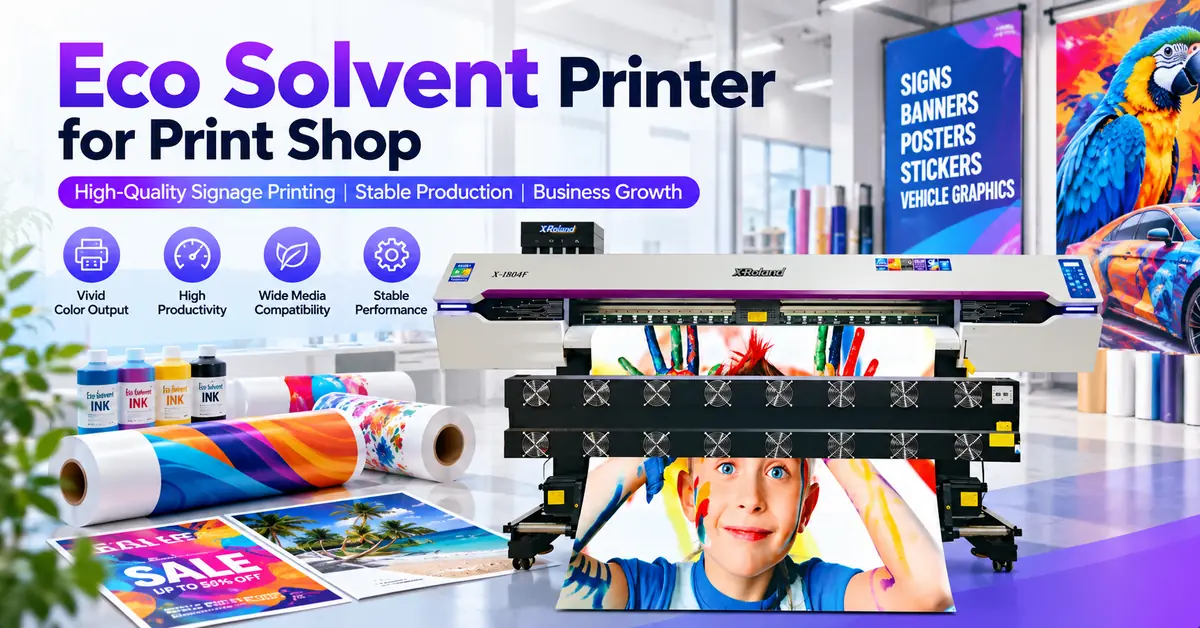
An eco solvent printer for print shop production should be selected according to actual customer orders, usable printing speed, media requirements, operating costs, and future business capacity—not simply the number of printheads or the manufacturer's advertised maximum speed.
For small and medium-sized printing businesses, a 1.6–1.85m printer may be suitable for vinyl stickers, retail graphics, posters, and everyday signage. A 2.5–3.2m system becomes more relevant when production involves wider banners, large-format advertising, or higher-volume commercial orders. However, increasing machine width does not automatically increase profitability.
The best investment is a printer that produces acceptable, sellable output at a sustainable cost per square meter. This guide explains how print shop owners can calculate capacity, compare X-Roland equipment, assess production risks, and prepare a practical purchasing decision.
1. Is an Eco Solvent Printer the Right Investment for Your Print Shop?
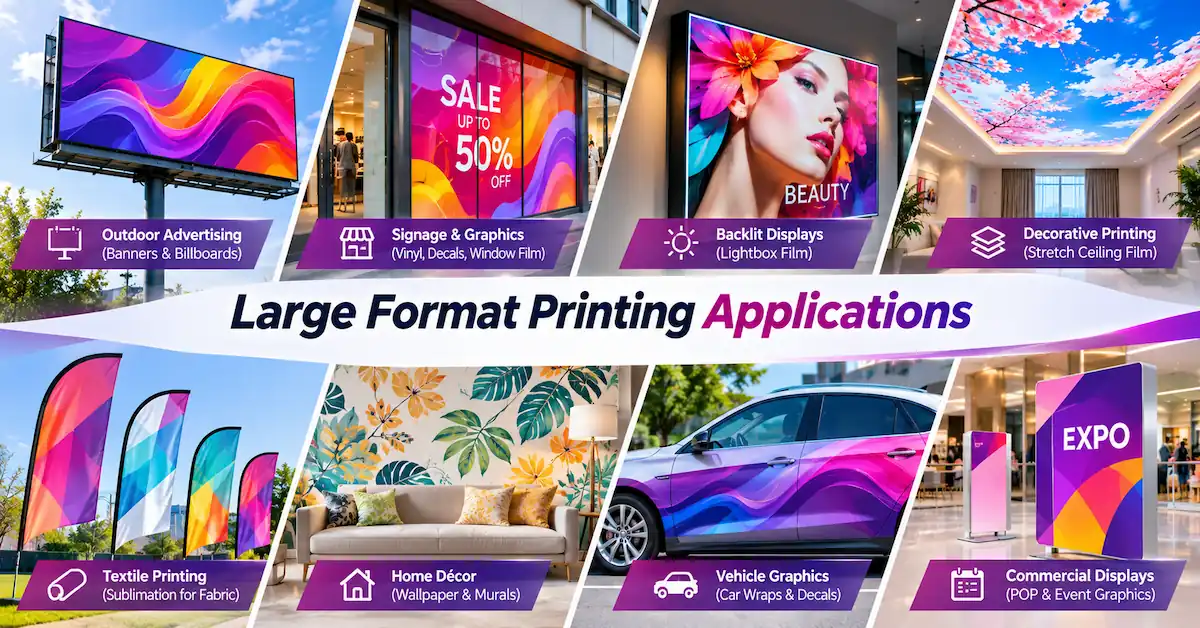
Eco-solvent printing uses solvent-based ink formulations designed for compatible digital inkjet systems. It is commonly used to produce flexible graphics on suitable coated or treated media, including self-adhesive vinyl, banner materials, display films, and selected canvas products.
For commercial print shops, its main value is the ability to combine different advertising applications within a roll-fed production workflow.
Typical customers include:
-
Signage and advertising companies: Printing banners, promotional displays, shop graphics, and exhibition materials.
-
Vehicle graphics businesses: Producing printable vinyl graphics for subsequent lamination and professional installation.
-
Retail display suppliers: Handling window promotions, branded graphics, and point-of-sale displays.
-
Small commercial print shops: Expanding from smaller printing formats into wide-format production.
-
Wholesale print service providers: Supplying printed graphics to resellers, installers, and advertising contractors.
An eco-solvent printer is less appropriate when the primary business requires direct printing onto rigid boards, conventional heat-transfer apparel decoration, or materials outside the qualified ink-and-media system.
Businesses should evaluate the full X-Roland eco solvent printer range against the products they intend to sell.
2. Start With Your Print Shop's Actual Order Mix
Before choosing an eco solvent printer for print shop operations, identify which products generate revenue and which jobs currently create production bottlenecks.
| Print shop application | Typical production material | Primary buying consideration |
|---|---|---|
| Vinyl stickers and decals | Compatible printable self-adhesive vinyl | Detail, color, finishing and cutting |
| Outdoor advertising banners | Suitable PVC banner media | Width, production speed and handling |
| Vehicle graphics | Printable wrap or vehicle graphic film | Color, media compatibility and lamination |
| Retail window graphics | Window film and compatible display vinyl | Image quality, dimensions and installation |
| Exhibition backdrops | Banner and display media | Wide-format production and deadlines |
| Wall graphics | Compatible wallcovering or adhesive film | Color consistency and media feeding |
A shop receiving frequent small sticker orders should not automatically purchase a large industrial printer because its specifications appear more impressive.
Similarly, a company regularly outsourcing wide outdoor banners may lose margin by purchasing a machine that cannot handle its most profitable formats.
The purchasing decision should begin with four questions:
-
Which products account for most monthly revenue?
-
What percentage of orders require widths above the existing printer's capacity?
-
How much production is outsourced because of equipment limitations?
-
What delivery times do customers expect during peak periods?
X-Roland's signage applications overview provides additional context for retail displays, banners, outdoor campaigns, and graphic production workflows.
3. How Much Printing Capacity Does Your Business Actually Need?
Production capacity should be calculated from sellable output, not theoretical printer speed.
Manufacturers typically describe output in square meters per hour under specific print modes. Actual commercial output also depends on file preparation, material loading, cleaning, quality inspection, finishing, and reprints.
A practical capacity estimate is:
Required tested printing speed = Daily accepted output ÷ (Scheduled hours × Productive time ratio × Acceptance rate)
Example: A Growing Signage Print Shop
Assume a shop has the following production target:
| Planning variable | Illustrative value |
|---|---|
| Required accepted output | 50 m²/day |
| Scheduled working time | 8 hours/day |
| Productive printing time | 65% |
| Accepted print rate | 90% |
| Required tested print throughput | Approximately 10.7 m²/hour |
The calculation is:
50 ÷ (8 × 0.65 × 0.90) = approximately 10.7 m²/hour.
The productive time ratio represents the portion of scheduled time available for printing after interruptions and routine operations. The acceptance rate accounts for rejected output. Media nesting and layout utilization should also be reflected in the tested throughput or calculated separately.
These are illustrative planning assumptions, not measured X-Roland production results.
A machine's advertised speed of 30 m²/hour does not mean the shop will consistently deliver 30 m² of accepted, finished graphics every hour.
For accurate comparisons, request sample runs using the same artwork, media, print mode, and quality requirements.
4. Which Printing Width Makes the Most Business Sense?
The width of an eco solvent printer for print shop production directly influences the range of orders the business can handle.
1.6–1.85m Printers: Flexible Daily Signage Production
These printers are worth evaluating for smaller production spaces, retail graphics, adhesive vinyl, posters, and general advertising work.
Their main consideration is whether the available width can handle the shop's actual roll sizes and finished graphic dimensions.
2.5m Printers: Intermediate Wide-Format Production
A 2.5m machine can provide additional width for shops growing beyond conventional small-format signage.
Businesses should evaluate material sourcing, roll weight, usable width, and finishing requirements before upgrading.
3.2m Printers: Larger Commercial Orders
A 3.2m printer may be appropriate for wide banners, substantial advertising campaigns, and commercial print operations with enough orders to justify the footprint.
However, these machines also require consideration of loading space, electrical supply, ventilation, handling equipment, and downstream finishing capacity.
Important: Media width and maximum printable width are not always identical. Confirm the usable print area and required margins before purchasing.
5. X-Roland Eco Solvent Printer Model Comparison
X-Roland, associated with Guangzhou Jihui Electronic Equipment Co., Ltd., offers several roll-fed printing configurations for commercial graphics production.
The following comparison uses the manufacturer's published reference specifications.
| X-Roland model | Listed width | Printheads | Published 4-pass speed | Potential application fit |
|---|---|---|---|---|
| XL-1601H | 1,600 mm media | 1 × I3200 | 23 m²/h | Compact commercial signage |
| XL-2500Y | 2,500 mm print width | 2 × I3200 option | 38 m²/h | Intermediate wide-format work |
| XL-3202Q | 3,200 mm | 2 × I3200 option | 30 m²/h | Wide-banner production |
| XL-3202FA | 3,200 mm media | 2 × I3200 | 53 m²/h | Higher-load wide-format workflow |
| XL-3204Q | 3,200 mm | 4 × I3200 | 60 m²/h | Higher-volume wide-format production |
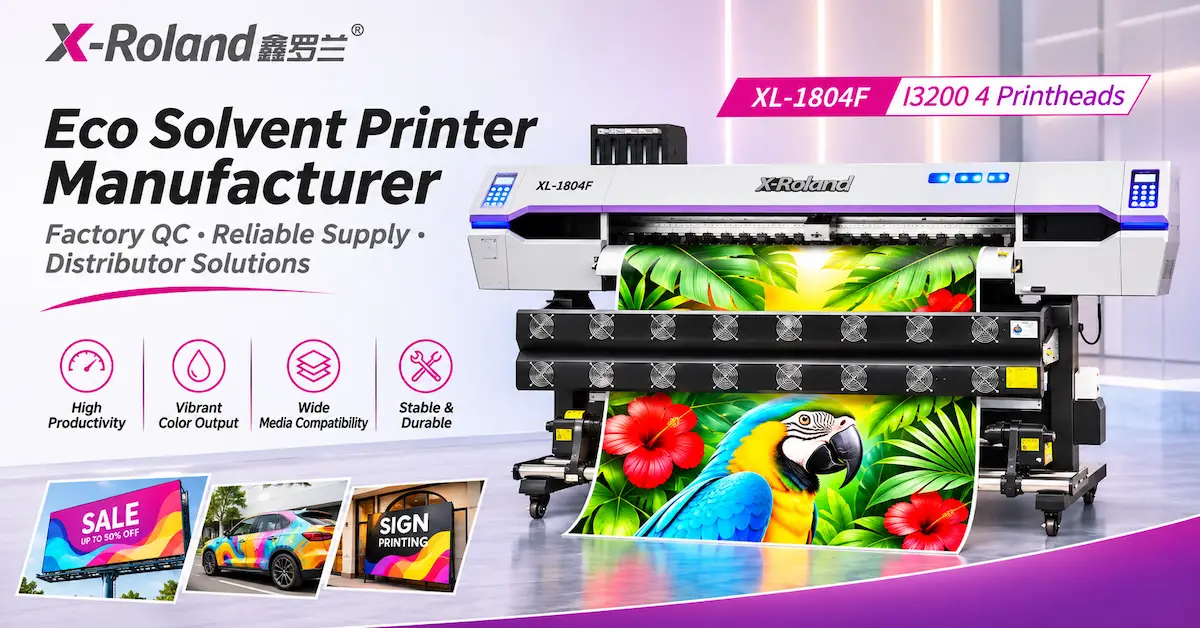
| XL-1804F | 1,850 mm media | 4 × I3200 | 76 m²/h | Higher-throughput narrow-to-mid-wide graphics |
All figures are supplier-published reference specifications for the stated configurations, not independently verified production benchmarks. Speeds from different models may use different test conditions. Confirm the selected eco-solvent ink version, actual printable width, required quality mode, software, and demonstrated output. The XL-3204Q four-head specifications must not be assumed to apply to the XL-3203Q.
Which Models Are Worth Comparing?
For compact operations: The XL-1601H I3200 printer provides a single-head, 1,600mm media-width configuration with feeding, take-up, and integrated drying features.
For intermediate widths: The XL-2500Y dual-head printer offers 2,500mm maximum print width, continuous ink supply, and dual-motor take-up in its published specification.
For 3.2m printing: The XL-3202Q and XL-3204Q are useful comparison points for different printhead quantities and production targets.
For heavier media handling: The XL-3202FA lists a maximum media load of 150kg and integrated heating features. This makes its media-handling specifications particularly relevant to buyers working with heavier rolls.
For higher output at narrower widths: The XL-1804F offers a four-head configuration with an 1,850mm listed media width.
These options should be compared by actual production suitability rather than assuming that one model is universally superior.
6. Which Technical Features Affect Print Quality and Efficiency?
Printhead Configuration
Many commercial eco-solvent systems use Epson PrecisionCore printheads, including I3200 configurations.
Epson's official I Series technical information describes the I3200 family and distinguishes compatible ink configurations. Buyers should confirm the precise printhead variant rather than assuming all I3200 heads work with every ink.
Check nozzle condition, droplet control, maintenance procedures, and printhead replacement requirements.
Media Feeding and Take-Up
Uneven feeding can cause banding, registration errors, wrinkles, and material waste.
Evaluate roller pressure, media tension, alignment, suction, and take-up performance with the actual roll weights used in your shop.
Heating and Drying
Drying controls affect handling and finishing readiness. Excessive heating may deform some films, while insufficient drying can create finishing problems.
The appropriate settings depend on ink formulation, media coating, print coverage, temperature, and airflow.
RIP Software and Color Management
RIP software converts artwork into print instructions and manages settings such as ink limits, output modes, and ICC profiles.
Ask suppliers about supported software, included licenses, media profiles, file compatibility, and operator training.
Consistent color requires controlled workflows—not simply a high-resolution printhead.
7. How to Calculate Eco Solvent Printer Running Costs
The real cost of an eco solvent printer for print shop production includes more than the purchase price and ink consumption.
Common cost categories include:
-
Printing ink and cleaning consumables
-
Printable vinyl, banner media, or other substrates
-
Lamination, mounting, trimming, and finishing materials
-
Operator labor and electricity
-
Maintenance, printhead replacements, and servicing
-
Waste, failed prints, and rework
-
Equipment depreciation and allocated overhead
Calculate Cost per Accepted Square Meter
A useful formula is:
Cost per accepted m² = Total production cost ÷ Accepted output area
For illustration, suppose a shop records the following costs per printed square meter:
| Cost component | Illustrative cost |
|---|---|
| Printing media | $2.20 |
| Ink and cleaning allocation | $0.50 |
| Lamination and finishing materials | $1.10 |
| Labor and energy | $1.20 |
| Maintenance and equipment allocation | $0.60 |
| Total per printed m² | $5.60 |
At a 90% accepted yield, the approximate cost per accepted square meter becomes:
$5.60 ÷ 0.90 = $6.22/m².
These figures are hypothetical and are not X-Roland product prices or verified operating costs. Actual calculations must use the shop's consumables, labor rates, production tests, currency, and accounting methods.
If the average realized selling price is $10/m², the illustrative difference is $3.78/m² before any additional unallocated expenses, financing, taxes, or other applicable costs.
This approach gives owners a clearer basis for pricing, investment decisions, and estimating margins.
8. How Can a Print Shop Evaluate Printer ROI?
Return on investment depends on how much profitable work the equipment enables, not the number of features listed in a product brochure.
A simplified method is:
Simple payback period = Total initial investment ÷ Incremental monthly cash contribution
For example, a hypothetical $12,000 total investment producing an additional $1,000 of monthly cash contribution would imply a 12-month simple payback period.
This is only a planning illustration. It excludes financing effects, downtime variations, future repairs, tax treatment, and residual value.
To assess the actual business case, compare:
-
Current outsourcing costs against potential in-house production costs.
-
Additional orders that could be accepted with greater printing width.
-
Expected machine utilization over a normal business month.
-
Labor and finishing constraints after installation.
-
Maintenance reserves and the consequences of production interruptions.
A more expensive machine is not automatically a better investment. A less expensive machine that cannot meet order deadlines may also become costly.
9. What Quality Checks Should a Print Shop Require?
Before buying commercial printing equipment, request a structured demonstration using representative customer artwork.
A practical sample approval should cover:
Image quality: Fine lines, small text, gradients, solid colors, and banding.
Color repeatability: Comparison of multiple runs under the same settings and viewing conditions.
Media handling: Feeding stability, skew, wrinkles, edge control, and take-up.
Drying and finishing: Whether output can be laminated, trimmed, mounted, or installed under the agreed process.
Production stability: Output consistency after sustained printing rather than one short demonstration.
Documentation: Record the RIP profile, print mode, ink configuration, material type, and test conditions.
X-Roland publicly describes quality control activities including incoming material inspection, platform checks, assembly and aging, functional testing, and shipment inspection.
Buyers can review the company's manufacturing and quality-control approach and request relevant inspection details for the selected equipment.
10. What Workshop Conditions and Safety Requirements Matter?
An eco-solvent printer should be installed in an environment suitable for the selected ink, equipment, consumables, and daily production volume.
Important considerations include stable electrical supply, adequate space, media storage, operator access, temperature control, ventilation, and safe handling procedures.
The UK Health and Safety Executive's COSHH and Printers — Key Messages and guidance for wide-format solvent-borne ink printing emphasize controlling exposure to inks, solvents, vapors, and cleaning chemicals.
Eco-solvent should not be interpreted as solvent-free or automatically safe without ventilation.
Request the ink's Safety Data Sheet, follow relevant local safety requirements, and review the manufacturer's operating instructions.
A shop should also reserve enough working space for laminating, cutting, drying, packing, and material movement—not just the printer itself.
11. How Should You Evaluate the Equipment Supplier?
Selecting an eco solvent printer for print shop growth also means evaluating the company providing the equipment.
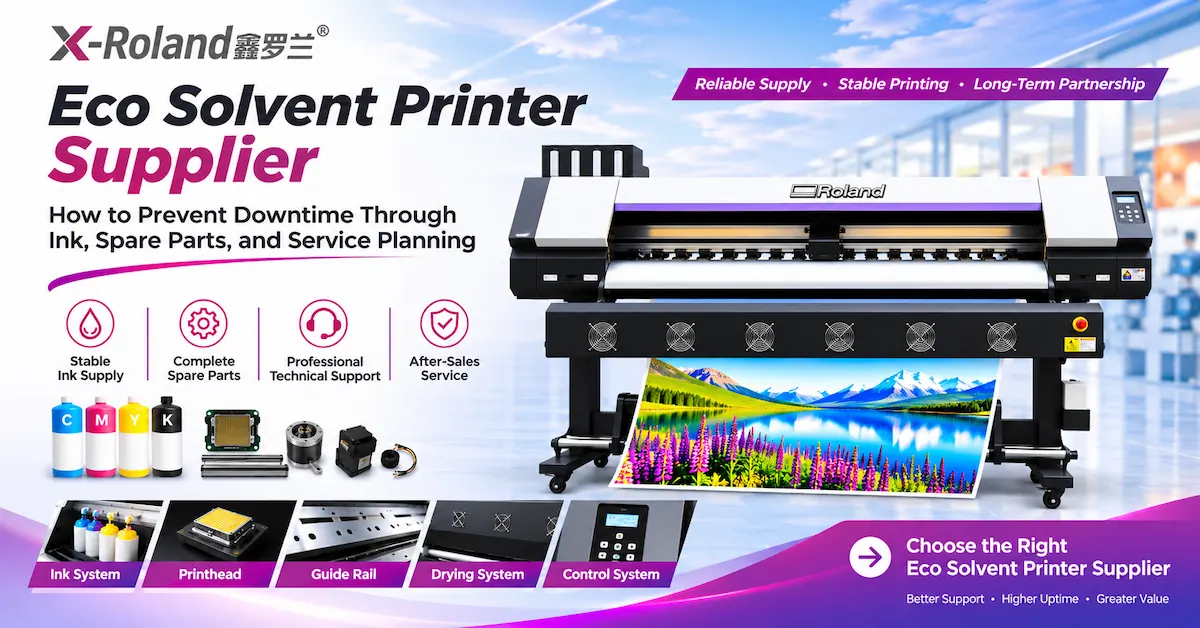
Ask about factory capabilities, current production configurations, software availability, inspection procedures, spare parts, technical assistance, shipping, and warranty terms.
For an overseas print shop or equipment distributor, it is particularly useful to understand which responsibilities are covered before and after delivery.
Guangzhou Jihui Electronic Equipment Co., Ltd., the company behind X-Roland, describes a workflow-oriented service approach that begins with customer materials, artwork, production volume, and the required finished result.
The company then discusses suitable equipment, sample assessment, and deployment support.
Explore the X-Roland equipment services to understand the stated support process.
For OEM/ODM or distributor inquiries, confirm branding options, configurations, order quantities, inspection documentation, and commercial conditions directly rather than assuming that every customization is available.
12. What Should Be Included in Your Equipment RFQ?
To get a relevant recommendation and quotation, share your requirements in a structured format.
Include your current monthly production volume, main printed products, media widths, desired quality, working hours, installation location, power requirements, budget range, and expected expansion plans.
Also ask the supplier to identify the exact ink system, included software, machine dimensions, spare-parts recommendations, shipping terms, lead time, training scope, and warranty conditions.
A clear RFQ helps suppliers recommend equipment based on business requirements rather than simply presenting the most expensive available configuration.
For an application-specific recommendation, contact X-Roland with your job samples and production targets.
Frequently Asked Questions
1. What is the best eco solvent printer for a small print shop?
The best choice depends on order width, print volume, available space, budget, and required output quality. A 1.6–1.85m roll-fed system may be worth evaluating for smaller signage shops. Buyers should verify media compatibility and tested throughput before selecting a specific model.
2. Can an eco solvent printer print vinyl stickers?
Yes, when the printer uses compatible eco-solvent ink and suitably coated or treated printable vinyl. Buyers should confirm adhesion, drying, lamination, and cutting performance with the intended material. Ordinary uncoated vinyl should not automatically be considered compatible.
3. Is a 1.6m or 3.2m eco solvent printer better for a print shop?
A 1.6m printer may suit common retail graphics and sticker production. A 3.2m system is more relevant to larger banners and wide-format advertising. The appropriate choice depends on profitable order sizes, material availability, equipment footprint, and production demand.
4. How many square meters can an eco solvent printer produce per hour?
Production varies by model, printhead configuration, print mode, media, artwork, and operating conditions. Published figures can provide an initial comparison, but accepted output under representative job conditions should determine capacity planning.
5. How much does an eco solvent printer cost to operate?
Operating costs include media, ink, cleaning, labor, energy, maintenance, finishing, rejected prints, and equipment allocation. Buyers should calculate the cost per accepted square meter using actual supplier consumable prices and production tests rather than relying on an unsupported universal estimate.
6. Is an Epson I3200 printhead suitable for commercial signage printing?
Epson's I3200 family includes printheads intended for industrial and commercial inkjet applications. However, suitability depends on the specific ink-compatible variant and the complete printing system. The correct printhead, ink, controller, and maintenance configuration must be verified.
7. Do eco solvent prints need lamination?
Not every job requires lamination. However, vehicle graphics, high-contact surfaces, and projects requiring additional abrasion protection often need a qualified laminate. Follow ink and media manufacturers' guidance for drying, finishing, and intended exposure.
8. How can I reduce waste in eco solvent printing?
Use qualified media profiles, maintain nozzle health, check material alignment, optimize artwork nesting, monitor drying conditions, and inspect samples before full production. Recording defect causes and accepted output helps identify opportunities to reduce recurring waste.
9. What should I check before importing an eco solvent printer?
Verify the exact machine configuration, electrical requirements, packing dimensions, documentation, shipping terms, import obligations, software licensing, warranty, spare parts, and service arrangements. Request an approved sample and clarify responsibilities in the purchase agreement.
10. Can X-Roland help a growing print shop select equipment?
X-Roland's published service approach includes reviewing materials, artwork, production targets, sample output, and equipment configuration. Buyers can submit their requirements for a recommendation, while current availability, exact specifications, pricing, and support terms should be confirmed through a formal quotation.
Conclusion
Choosing the right eco solvent printer for print shop production is ultimately a business-capacity decision. Equipment width, printhead configuration, printing speed, and purchase price all matter, but the strongest investment decision comes from understanding which machine can consistently produce profitable, acceptable output for your customer orders.
A smaller print shop may benefit from a flexible 1.6–1.85m system, while a growing signage manufacturer may need 2.5m or 3.2m production capability. Neither configuration is universally better. The correct choice depends on actual order dimensions, workload, consumable costs, finishing requirements, available space, and expected return on investment.
X-Roland offers multiple eco-solvent printer configurations for different commercial printing requirements. By comparing real job samples, confirmed technical specifications, supplier support, and total operating costs, buyers can make a more informed equipment decision.
Ready to expand your print shop's capacity? Contact X-Roland for an equipment recommendation and quotation. Share your printing materials, preferred widths, monthly production volume, and sample artwork so the team can help identify an appropriate configuration for your business.