TL;DR: A 1.8m vs 3.2m printer decision should be based on the widths, quantities, and profitability of actual customer orders. A 1.8m-class eco-solvent printer can be efficient for narrower signage and vinyl graphics, while a 3.2m platform becomes more attractive when customers regularly require wider, seamless output or profitable multi-panel layouts. Compare usable image width, media availability, accepted throughput, finishing requirements, and incremental contribution before investing.
Choosing the correct width for a commercial eco-solvent printer is not simply a matter of selecting the largest machine the budget allows.
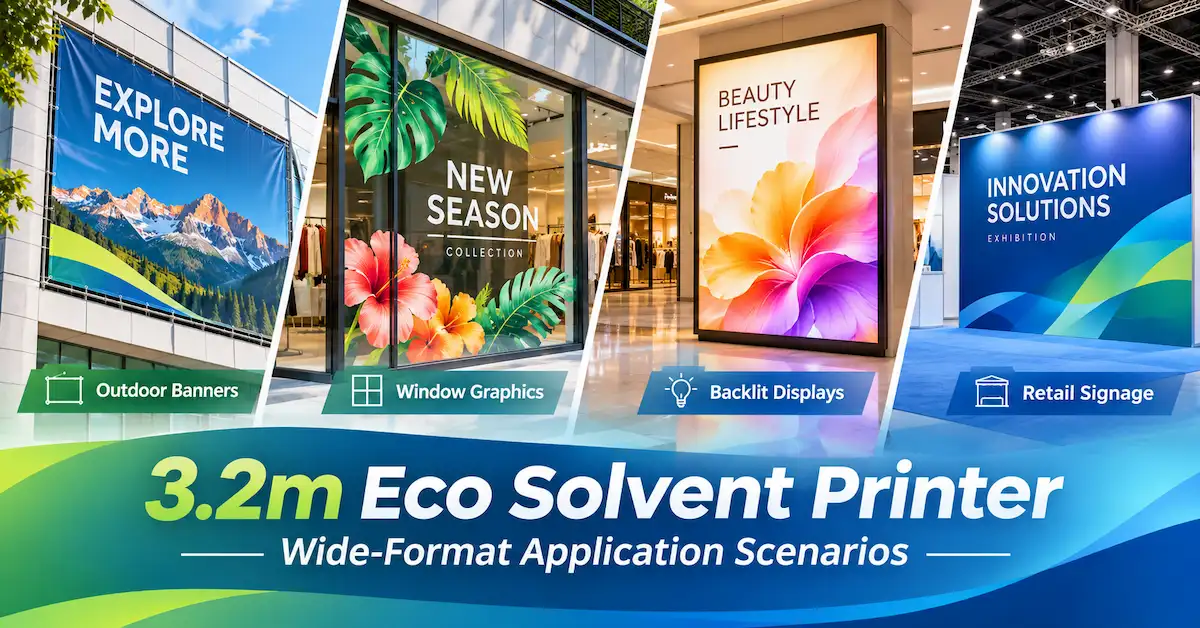
Printing factories handle different combinations of banners, adhesive vinyl, retail graphics, backlit films, and outdoor advertising materials. Some jobs are narrow and frequent; others are wide, occasional, and potentially more profitable.
A wider printer can help a business accept additional work, but it may also require more floor space, different media handling, and greater financial commitment.
For production managers and equipment engineers, the 1.8m vs 3.2m printer comparison should therefore begin with measured order data rather than advertised print speeds.
This guide uses X-Roland printer configurations and practical production calculations to explain when each width class makes commercial sense.
How Do 1.8m and 3.2m Eco Solvent Printers Compare?
A nominal 1.8m-class printer and a 3.2m-class printer serve overlapping but different production requirements.
The larger platform offers additional width, but that does not automatically mean higher output, better quality, or lower operating costs.
| Comparison Factor | 1.8m-Class Printer | 3.2m-Class Printer | Main Decision |
|---|---|---|---|
| Nominal media width | Approximately 1.8–1.85m | Approximately 3.2m | Widest regularly accepted job |
| Typical applications | Vinyl graphics, posters, window advertising, narrower banners | Wider banners, large displays, broad advertising graphics | Finished output dimensions |
| Material use | Can use appropriately sized narrower rolls | Can use qualified wider rolls or compatible narrower media | Actual roll availability and nesting |
| Seamless graphics | Limited by verified printable width | Potentially produces larger one-piece graphics | Customer finishing requirements |
| Production capacity | Depends on model and print mode | Depends on model and print mode | Accepted output per shift |
| Installation | Generally smaller equipment footprint | Generally larger equipment footprint | Workshop clearance and material handling |
| Investment | Model-specific | Model-specific | Incremental contribution versus additional costs |
Technical conclusion: A 3.2m printer is most valuable when additional printable width supports real customer orders or improves the complete production workflow. Width alone is not evidence of superior productivity.
Key Takeaways
-
Analyze actual order widths first. A business dominated by graphics below 1.7m may not need a 3.2m platform.
-
Confirm usable printing width. A nominal 1850mm or 3200mm specification does not necessarily equal printable image width.
-
Calculate material utilization. Wider equipment does not automatically reduce waste; media width and nesting patterns matter.
-
Compare throughput under the same job conditions. A narrower machine can have a higher published m²/h figure than a wider model.
-
Evaluate finishing requirements. A wide one-piece graphic may avoid panel joining, but it can introduce other handling demands.
-
Use an incremental break-even model. Wider equipment should be justified by profitable additional orders or measurable workflow savings.
What Does a 1.8m vs 3.2m Printer Comparison Actually Measure?
The comparison should distinguish three dimensions.
Machine width describes the manufacturer's stated media or equipment width.
Usable printing width describes the image area available after the machine's operating margins and other restrictions.
Required job width includes the finished graphic size and necessary production allowances.
A machine is suitable for a one-piece job only when its verified usable image width accommodates the required layout.
How Should Required Width Be Calculated?
Use:
Required image width = Finished graphic width + Bleed and other image allowances
For example, a customer orders a 1,650mm-wide graphic.
If the job requires 15mm of bleed on each side:
1,650 + 15 + 15 = 1,680mm
This may fit on a suitable 1.8m-class printer if its verified printable width supports at least 1,680mm and the selected media is compatible.
A 2,400mm-wide one-piece graphic would exceed a nominal 1850mm platform and require a wider printing route or a redesigned multi-panel layout.
Engineering recommendation: Confirm the usable printing width for the actual machine configuration and media before committing to customer production dimensions.
How Can Actual Order Data Determine the Best Printer Width?
The most useful purchasing evidence is the shop's historical order mix.
Review the last three to six months of jobs, or a sufficiently representative sample.
Record each order's required printed width, length, material, quantity, finishing method, contribution, and delivery deadline.
Illustrative Order-Width Distribution
Consider a printing business with 120 monthly orders.
| Required Image Width | Monthly Orders | Share of Orders | Width Implication |
|---|---|---|---|
| Up to 1.50m | 70 | 58.3% | Potentially suitable for either class |
| 1.51–1.70m | 25 | 20.8% | Potentially suitable for a verified 1.8m-class configuration |
| 2.00–2.80m | 20 | 16.7% | Requires a wider route for one-piece output |
| 2.81–3.05m | 5 | 4.2% | Requires verification of usable 3.2m-class width |
| Total | 120 | 100% |
In this example, 95 of 120 orders have required image widths of 1.70m or less.
The remaining 25 orders require more than 2.00m of image width.
A 1.8m-class printer may be sufficient for the narrower work, subject to actual printable width.
A 3.2m-class printer may allow the business to handle more of the wider work in-house.
However, the larger printer's commercial value still depends on the profitability, area, and frequency of those 25 orders.
Why Should Buyers Analyze Printed Area as Well as Order Count?
One wide banner may contain more printable area than several smaller decals.
For example:
-
Twenty 0.5m² jobs represent 10m² of output.
-
Five 12m² jobs represent 60m² of output.
The smaller group of wide jobs may therefore account for more machine time, material consumption, and revenue potential.
A production manager should calculate both order count by width and accepted area by width.
This prevents the purchasing decision from being distorted by the number of jobs alone.
Which X-Roland Printers Can Buyers Compare?
X-Roland offers an 1850mm-class model and several 3200mm-class eco-solvent configurations.
X-Roland Technical Comparison
| Model | XL-1804F | XL-3202Q | XL-3204Q | XL-3202FA |
|---|---|---|---|---|
| Listed media or printer width | 1850mm media | 3200mm | 3200mm | 3200mm media |
| Printheads | 4 × I3200 | 2 × I3200 or F1080 option | 4 × I3200 | 2 × I3200 |
| Published 4-pass speed | 76m²/h | 30m²/h with I3200 | 60m²/h | 53m²/h |
| Listed media-load capacity | Confirm | Approx. 60kg | Approx. 60kg | Up to 150kg |
| Primary evaluation | Narrower high-output graphics | Wider dual-head production | Wider four-head production | Wider media handling |
These are manufacturer-published specifications for selected configurations. The speed figures are not standardized side-by-side test results. Confirm ink chemistry, usable printing width, print mode, software, and actual production performance before ordering.
XL-1804F: 1.8m-Class Printing
The X-Roland XL-1804F lists four Epson I3200 printheads, 1850mm media width, and a published four-pass speed of 76m²/h.
Its listed machine dimensions are 3195 × 885 × 1600mm.
The equipment includes adjustable pressure rollers, temperature control, and drying features.
It is worth evaluating when most customer orders fit its usable width and higher output is important.
XL-3202Q: Wider Dual-Head Configuration
The XL-3202Q provides a 3200mm platform with two-printhead configurations.
Its published I3200 four-pass speed is 30m²/h.
This model can be evaluated when wider one-piece graphics are required and its tested production capacity matches the workload.
XL-3204Q: Wider Four-Head Configuration
The XL-3204Q lists four I3200 printheads, a 3200mm width, and a four-pass speed of 60m²/h.
Its published equipment dimensions are 4415 × 980 × 1500mm.
This model may be relevant when the business needs both wider output and substantial recurring production capacity.
XL-3202FA: Higher Media-Load Option
The XL-3202FA lists two I3200 printheads, 3200mm media width, and up to 150kg media-load capacity.
Its published four-pass speed is 53m²/h.
This illustrates why printhead quantity alone does not determine the output of an entire printing system.
Does a 3.2m Printer Always Produce More Square Meters per Hour?
No.
A 1.8m vs 3.2m printer comparison should distinguish printing width from the achievable printing rate.
For example, X-Roland publishes 76m²/h at four pass for the XL-1804F and 60m²/h at four pass for the XL-3204Q.
The narrower model has the higher published numerical speed in these specifications.
However, these results come from different printer configurations and should not be treated as a controlled head-to-head performance test.
What Determines Effective Production Capacity?
Actual production depends on print mode, artwork, material loading, drying, maintenance, operator efficiency, and quality acceptance.
A practical formula is:
Accepted output = Actual printing rate × Productive hours × Acceptance rate
For illustration, suppose a printer sustains 30m²/h under a tested production mode, operates productively for five hours, and achieves a 94% acceptance rate.
Accepted output = 30 × 5 × 0.94 = 141m²
The correct printer is the one whose tested capacity supports customer orders with sufficient delivery margin.
How Does Roll Width Affect Material Utilization?
A wider printer is not automatically more material-efficient.
Material efficiency depends on the width of the purchased roll and how the artwork is arranged.
A common planning metric is:
Width utilization = Total saleable graphic widths across the layout ÷ Media roll width
This simplified calculation does not include lengthwise waste, setup material, or rejected prints.
Example: Producing 1.35m-Wide Graphics
Suppose a print shop needs to produce multiple graphics that are each 1.35m wide.
Option A: A 1.8m-Class Printer
Using a hypothetical compatible 1.52m-wide roll:
Width utilization = 1.35 ÷ 1.52 = 88.8%
Option B: A 3.2m-Class Printer
Using a hypothetical compatible 3.2m-wide roll, two 1.35m graphics are nested side by side:
Width utilization = 2.70 ÷ 3.20 = 84.4%
This second layout assumes the printer has sufficient verified usable width for the graphics, gutters, and margins.
| Arrangement | Roll Width | Saleable Graphic Width | Simplified Utilization |
|---|---|---|---|
| One panel on narrower roll | 1.52m | 1.35m | 88.8% |
| Two panels on wide roll | 3.20m | 2.70m | 84.4% |
The wider machine can accommodate two graphics across the roll in the illustrated layout, but the narrower media arrangement has slightly better width utilization.
This does not prove that either system has the lower total production cost.
Why Does Actual Media Availability Matter?
Commercial graphic films are sold in specific widths rather than every possible dimension.
For example, 3M's official Graphic Films collection includes products offered in 48-, 54-, and 60-inch roll widths, depending on the material.
The selected substrate may therefore limit the practical benefit of a printer's maximum width.
Important: A 3.2m machine does not inherently consume 3.2m-wide material on every job. It may support narrower rolls, subject to its approved feeding configuration. Equally, do not assume it can run two independent narrow rolls simultaneously unless the manufacturer confirms that capability.
When Does Seamless 3.2m Printing Provide a Commercial Advantage?
The strongest argument for a wider machine is often the ability to produce a large graphic without splitting it into multiple panels.
Consider a 2.4m-wide promotional banner.
A 1.85m-media printer cannot produce that design as a single 2.4m-wide image.
The shop would need to divide the artwork into sections, use an alternative production route, or outsource the job.
A verified 3.2m-class configuration may allow one-piece production.
What Costs Can Panel Joining Introduce?
Multi-panel jobs may require additional artwork preparation, cutting, overlap allowances, joining labor, and quality inspection.
For certain graphics, visible seams may also be unacceptable to the customer.
However, one-piece printing is not always necessary.
Large wall graphics and vehicle applications are commonly designed around multiple panels, and their finishing requirements should be considered individually.
Decision rule: Value the wider printer according to the specific jobs for which seamless production is genuinely required or commercially beneficial.
How Do You Calculate the Break-Even Point for a 3.2m Printer?
A production manager should estimate whether the additional contribution from wider orders offsets the additional fixed ownership expenses.
Use:
Break-even wide jobs per month = Additional monthly fixed cost ÷ Incremental contribution per accepted wide job
Illustrative Investment Scenario
Suppose a printing business estimates:
| Variable | Hypothetical Amount |
|---|---|
| Additional monthly ownership expenses for the wider solution | $520 |
| Recoverable contribution per accepted wide job, after job-specific costs | $38 |
| Expected accepted wide jobs per month | 25 |
The break-even volume is:
$520 ÷ $38 = 13.68 jobs
The business would need approximately 14 accepted wide jobs per month to cover the modeled additional fixed cost.
At 25 accepted wide jobs:
Incremental monthly contribution = (25 × $38) − $520 = $430
These figures are illustrative, not X-Roland equipment pricing, verified customer results, or a guaranteed return.
The model assumes the contribution is genuinely incremental—for example, from orders that would otherwise be lost or less profitable when outsourced.
Any additional finishing equipment, workspace, labor, or financing costs not already captured must also be considered.
What If Wide Orders Are Infrequent?
If the business receives only five profitable wide jobs per month, outsourcing or panel production may be financially preferable.
The correct answer depends on actual job contribution and costs.
This is why an order-based 1.8m vs 3.2m printer comparison is more useful than choosing solely by advertised machine width.
What Installation and Workflow Differences Should Engineers Check?
A wider printer must fit within the complete production environment.
The published equipment dimensions alone do not establish all required installation space.
Workshop Planning Checklist
| Requirement | Technical Procurement Check |
|---|---|
| Machine footprint | Model-specific equipment dimensions |
| Loading space | Room for compatible media rolls and safe handling |
| Floor requirements | Weight, stability and installation instructions |
| Electrical supply | Correct voltage and electrical installation |
| Ventilation | Applicable ink safety and workplace requirements |
| Finishing | Cutting, lamination and handling of wider graphics |
| Material storage | Suitable space for intended roll sizes |
| Technical support | Maintenance access, training and service arrangements |
The XL-1804F and XL-3204Q have different published dimensions, but the buyer should request installation drawings and service-clearance requirements for the exact configuration.
The larger printer also needs a suitable workflow downstream.
If the finishing equipment cannot handle the intended wide graphics, the production advantage may be reduced.
How Should Buyers Compare Print Quality and Maintenance?
Printhead and ink compatibility should be confirmed before purchasing either width class.
A manufacturer's description of an Epson I3200 printhead is not sufficient by itself to define the complete ink system.
Buyers should request the actual printhead variant, approved eco-solvent ink, RIP software, media profiles, and maintenance procedures.
Recommended Comparative Production Test
Use the same representative artwork and, where possible, the same qualified media and required finished-print standard.
Test:
-
Fine text and registration.
-
Solid-color uniformity and gradients.
-
Representative production-length artwork.
-
Media feeding and take-up stability.
-
Drying and subsequent handling.
-
Accepted output over an agreed operating period.
Document the model, ink configuration, print mode, substrate, production settings and results.
Do not declare a faster or wider machine superior based on a single promotional print.
Supplier Support and OEM/ODM Requirements
International distributors should additionally confirm the machine package, available customization, warranty, spare parts and operator training.
X-Roland's equipment support services describe substrate assessment, sample evaluation, equipment selection and after-sales response.
Specific OEM/ODM availability, order quantities, delivery terms and technical commitments require separate written confirmation.
How Can a Printing Factory Choose Between 1.8m and 3.2m in Three Steps?
Step 1: Build an Order-Width Distribution
Action: Export historical order data and group jobs by required printed width, accepted area and contribution.
Decision rule: If most profitable work comfortably fits a verified 1.8m-class configuration, do not assume 3.2m is necessary.
Step 2: Calculate the Incremental Value of Wide Orders
Action: Identify jobs requiring one-piece widths above the smaller printer's capacity. Measure the profitability of printing them in-house versus outsourcing or splitting them.
Decision rule: A wider machine is economically justified only when its incremental value supports its additional costs and risk.
Step 3: Validate the Production Workflow
Action: Request sample printing, usable-width confirmation, representative output testing, media-loading information and a complete quotation.
Decision rule: Select the configuration that meets the required quality, production volume and commercial return.
Application Scenario: A Signage Factory Expanding Into Wider Advertising
Consider a hypothetical commercial signage factory with a stable workload of 120 orders per month.
The factory already produces smaller window graphics, stickers and banners.
Twenty-five monthly orders require image widths above 2.0m, but some of these are currently outsourced or produced through panel joining.
Proposed Evaluation
The production manager first calculates the contribution of the 25 wider orders.
The engineering team then checks which designs can be produced as one piece on a verified 3.2m configuration.
Next, the team tests print quality, material handling, and actual output on representative artwork.
Finally, purchasing compares equipment packages, installation requirements, finishing capacity and incremental monthly costs.
What Does This Approach Deliver?
It establishes whether the wider machine creates additional value through profitable in-house work or meaningful production savings.
The evaluation also identifies whether an 1850mm-class platform remains suitable for the factory's principal workload.
This is a hypothetical planning case, not an actual X-Roland customer project.
Why Consider X-Roland for an Eco Solvent Width Comparison?
X-Roland is associated with Guangzhou Jihui Electronic Equipment Co., Ltd., a Chinese digital printing equipment business.
Its product portfolio includes commercial eco-solvent printers with different media widths and printhead configurations.
The X-Roland Eco Solvent Printer collection provides equipment options for signage and advertising applications.
The company's published approach connects substrate requirements, equipment selection, sample printing and production support.
For technical purchasing teams, that creates a basis for comparing the XL-1804F with 3200mm-class alternatives.
Before ordering, buyers should request model-specific information on usable print width, compatible substrates, printheads, ink, software, operating requirements and commercial terms.
To request a technical comparison, contact X-Roland with your order-width distribution, production targets and sample artwork.
Frequently Asked Questions
1. Which is better: a 1.8m vs 3.2m printer?
Neither is universally better. A 1.8m-class printer may suit businesses dominated by narrower graphics, while a 3.2m platform may be valuable for wider one-piece jobs. Compare actual order widths, accepted output and economics.
2. Is an 1850mm media width equal to 1850mm printable width?
Not necessarily. Usable image width may be smaller because of operational margins and other restrictions. Confirm the exact printable width for the selected machine configuration.
3. Is a 3.2m printer always faster than a 1.8m printer?
No. X-Roland publishes different speed figures for its individual models. Compare actual accepted output using representative artwork, materials and quality settings.
4. Can a 3.2m printer use narrower media rolls?
Potentially, subject to the machine's approved media specifications and feeding setup. Buyers should confirm the permitted widths, roll dimensions and loading procedures.
5. Does a 3.2m printer reduce material waste?
Not automatically. Material efficiency depends on purchased roll width, nesting, finishing and accepted output. A narrower roll can sometimes be more economical for a single narrow graphic.
6. When should a print shop upgrade to a 3.2m printer?
An upgrade is worth evaluating when profitable wider jobs are frequent enough to justify the additional ownership and operating costs, and the downstream workflow can handle the larger output.
7. Is a four-head printer better than a dual-head printer?
Printhead quantity affects potential production capacity, but the full machine configuration also matters. Compare tested output, image quality, maintenance and operating costs.
8. How can I calculate the ROI of a wider printer?
Estimate incremental contribution from additional or more profitable wide jobs, subtract extra fixed and operating costs, and compare the resulting cash flow with the incremental investment. Use measured demand rather than assumed sales growth.
9. Which X-Roland models can be used for this comparison?
The XL-1804F is an 1850mm-class option. XL-3202Q, XL-3204Q and XL-3202FA provide 3200mm-class alternatives with different printhead and media-handling configurations.
10. What should a technical buyer include in a printer quotation request?
Provide typical and maximum order widths, materials, production volume, artwork samples, required image quality, available workshop space, electrical requirements, destination market and preferred configurations.
Conclusion
The 1.8m vs 3.2m printer decision should be based on the work a printing business actually sells.
A narrower eco-solvent printer can be an efficient investment when most orders fit its verified usable width and production capacity.
A 3.2m platform becomes more attractive when wide-format orders create sufficient incremental contribution, when one-piece printing adds customer value, or when qualified nesting layouts improve the workflow.
However, additional width does not automatically produce higher speed, lower waste or faster investment recovery.
X-Roland offers 1850mm-class and 3200mm-class eco-solvent printer configurations that can be compared through technical specifications and application-specific testing.
Planning a 1.8m vs 3.2m printer investment? Contact X-Roland for equipment specifications, sample testing and a tailored quotation. Share your actual job widths, common media, monthly accepted output and purchasing requirements to identify the most appropriate production solution.