TL;DR: A 3.2m eco solvent printer is a practical option for commercial sign shops producing wide banners, advertising graphics, backlit displays, and other compatible roll-fed media. However, successful production depends on more than the printer's maximum width or advertised speed. Roll alignment, feeding tension, take-up control, media condition, drying, and printhead configuration directly affect output consistency. Buyers should compare accepted production capacity, long-run print quality, and reprint costs before selecting a machine.
A 3.2-meter printing platform can expand the types of advertising graphics a printing business produces in-house.
But wider rolls also demand more attention to material handling.
A printer might complete a short demonstration successfully, then encounter media drifting, wrinkles, color variation, or drying problems during a longer production job.
For businesses producing commercial banners, retail graphics, and wide-format signage, these issues can create substantial material waste and missed delivery deadlines.
This guide explains how to evaluate wide-roll feeding stability, compare X-Roland's 3.2m printer configurations, establish practical quality-control checks, and calculate production economics before purchasing equipment.
How Do 3.2m Eco Solvent Printer Models Compare?
The first purchasing decision is selecting an appropriate printhead configuration and media-handling system.
X-Roland lists several 3200mm-class roll-fed printers for commercial graphics applications.
X-Roland 3.2m Printer Comparison
| Specification | XL-3202Q | XL-3204Q | XL-3202FA |
|---|---|---|---|
| Listed width | 3200 mm | 3200 mm | 3200 mm media |
| Printhead configuration | 2 × I3200 or F1080 option | 4 × Epson I3200 | 2 × Epson I3200 |
| Published 4-pass speed | 30 m²/h with I3200 | 60 m²/h | 53 m²/h |
| Listed media load | Approx. 60 kg | Approx. 60 kg | Up to 150 kg |
| Ink system | Confirm eco-solvent configuration | Confirm ordered configuration | Eco-solvent version available |
| Notable considerations | Dual-head platform, ink-shortage alarm | Four-head platform, segmented suction and drying | Higher specified media load, integrated central shaft |
| Potential buyer | Growing sign shop | Higher-throughput graphics producer | Business handling heavier media rolls |
Figures are based on the manufacturer's published product specifications. They are reference values under the respective listed conditions, not results from a standardized comparison. Confirm print mode, usable printing width, ink system, and exact machine configuration before ordering.
XL-3202Q: Dual-Head Commercial Printing
The X-Roland XL-3202Q offers a 3200mm platform with dual-head configurations.
Its published features include a bridge-frame main beam, linear guide rail, continuous ink supply, media-shortage alarm, and combined heating and air drying.
It is worth evaluating for commercial printing businesses that need wide-format capability without automatically moving to a four-head arrangement.
XL-3204Q: Four-Head Production Platform
The XL-3204Q lists four Epson I3200 printheads and a published four-pass speed of 60m²/h.
Its product information describes partitioned platform suction, media-related alarms, infrared heating, and air drying.
Businesses with recurring wide-format orders may evaluate this configuration when tested output and production utilization justify the equipment.
XL-3202FA: Higher Media-Load Configuration
The XL-3202FA uses two I3200 printheads and lists a maximum media load of 150kg.
It also includes an integrated central shaft and drying system.
The higher published media-load capacity may be relevant to businesses handling heavier rolls, although it does not guarantee compatibility with every roll diameter or substrate.
Technical conclusion: The number of printheads does not determine throughput independently. The XL-3202FA and XL-3202Q demonstrate why buyers should compare complete machine configurations rather than assuming all dual-head printers perform alike.
Key Takeaways
-
Verify usable printing width: A nominal 3200mm platform does not automatically provide 3200mm of image width.
-
Check roll alignment: Poor loading or irregular winding can cause lateral movement and media skew.
-
Evaluate take-up and tension: Wide rolls require controlled feeding and winding throughout longer jobs.
-
Compare speed at the required quality mode: Published four-pass values are starting points, not guaranteed finished-output rates.
-
Test drying on actual media: Heating and ink behavior affect image quality and material stability.
-
Measure waste and reprints: Long-run defects can make an apparently economical printing system more expensive to operate.
Why Does Media Skew Occur During Wide-Format Printing?
Media skew occurs when the substrate travels at an angle or shifts sideways relative to its intended feed path.
It may result in print distortion, edge misalignment, wrinkling, unstable take-up, or interrupted production.
A larger print width increases the importance of keeping the entire material path consistent.
1. Incorrect Roll Loading
If a media roll is not positioned correctly relative to the feeding system, the material may move unevenly.
Before printing, operators should verify that the roll and core are seated according to the machine instructions.
2. Uneven Media Tension
An irregularly wound roll can introduce inconsistent tension as material enters the printer.
The problem may become more noticeable during longer jobs when additional media has passed through the machine.
3. Take-Up Misalignment
The take-up mechanism must wind the printed material without introducing unwanted lateral forces.
If the roll is attached unevenly, the winding direction may gradually shift.
4. Roller or Platen Conditions
Feeding performance can be affected by roller condition, pressure distribution, contamination, and substrate contact with the platen.
Independent printer manufacturer Roland DG identifies media alignment, vacuum settings, roller condition, and take-up alignment as common factors in media bunching and skew.
These are useful general principles. Adjustments on X-Roland equipment must follow its specific operating instructions.
5. Media Curl and Heat Response
Some materials may curl, expand, contract, or wrinkle when exposed to heat.
Excessive deformation can affect feeding and may create a printhead-contact risk.
Operators should stop printing when material lifting or a potential head strike is observed and investigate using the approved procedure.
How Can Operators Reduce Media Skew on a 3.2m Printer?
A repeatable material-loading process helps reduce avoidable errors.
Step 1: Inspect the Media Roll
Check whether the roll is damaged, telescoped, unevenly wound, curled, or contaminated.
Do not assume that every media defect can be corrected through printer adjustments.
Step 2: Confirm the Approved Media Size
Verify roll width, diameter, core requirements, media weight, and compatibility with the printer.
The XL-3202Q and XL-3204Q list approximately 60kg media-bearing capacity, while the XL-3202FA lists a maximum of 150kg.
These are model-specific values and must be confirmed for the ordered configuration.
Step 3: Load and Align the Media
Follow the manufacturer's loading instructions and confirm that the material is positioned correctly relative to the printer's feeding path.
Step 4: Set the Appropriate Feeding and Take-Up Conditions
Use approved tension, roller, suction, and take-up settings for the material.
Not every machine provides the same adjustment functions.
Step 5: Conduct a Short Test Run
Before committing expensive media to a long production job, inspect the initial feed behavior, alignment, nozzle condition, and print quality.
Step 6: Verify Performance During Extended Printing
Run a representative production-length job.
Monitor media tracking, winding, image consistency, and drying throughout the test rather than relying only on the first printed section.
Production recommendation: Record the approved loading and operating conditions for each commonly used substrate. This makes it easier to repeat successful jobs and investigate deviations.
Which Materials Are Suitable for a 3.2m Eco Solvent Printer?
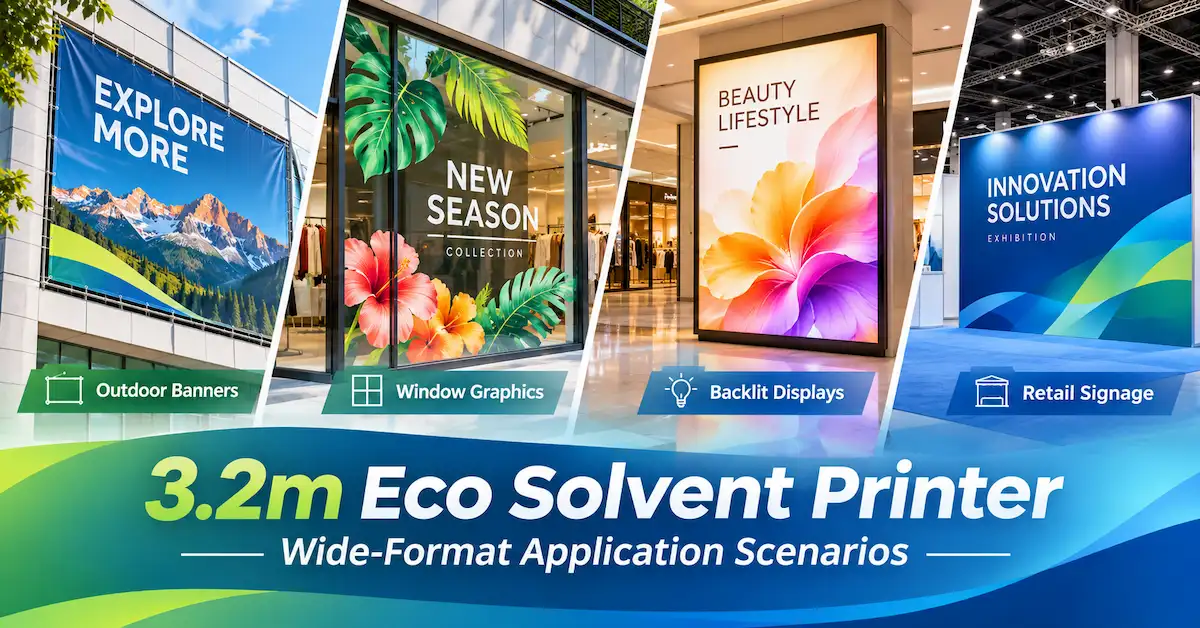
A 3.2m eco solvent printer is primarily considered for qualified flexible roll-fed printing media.
Material compatibility depends on the specific ink configuration, coating, feed mechanism, and drying conditions.
| Material | Common Application | Main Production Concern |
|---|---|---|
| Printable PVC banner | Outdoor advertising and event banners | Roll handling, flatness and drying |
| Self-adhesive vinyl | Window graphics, decals and vehicle graphics | Color profiles, dimensional stability and finishing |
| Backlit film | Illuminated retail signs and lightboxes | Ink density and appearance under lighting |
| Compatible canvas | Display and decorative graphics | Feeding and coating compatibility |
| Qualified PP film | Posters and display graphics | Ink adhesion and dimensional response |
| Compatible lightbox fabric | Illuminated advertising displays | Feeding, drying and finished-image appearance |
The X-Roland 3200mm product pages list applications such as PP film, backlit media, canvas, sticker media, and flex banners.
However, listed application categories do not establish compatibility with every commercially available material.
When Is a 3.2m Printer Unnecessary?
Businesses primarily producing narrow stickers, small posters, or low-volume graphics may not need a 3200mm platform.
A narrower machine can sometimes be more practical when its usable width already accommodates the work and when floor space or capital utilization is limited.
The decision should follow actual order dimensions and production requirements.
How Do Printhead and Ink Systems Affect Print Quality?
The Epson I3200 is used in several X-Roland printer configurations.
However, the I3200 family includes variants for different ink chemistries.
Epson's official I-Series information identifies separate configurations for aqueous, UV, and eco-solvent applications.
An eco-solvent printer purchase should therefore include written confirmation of the exact printhead variant and approved ink system.
Technical Configuration Checklist
| Component | Buyer Verification |
|---|---|
| Printheads | Exact model, variant and quantity |
| Ink system | Approved eco-solvent formulation |
| RIP software | Supported software, settings and licensing |
| ICC profiles | Availability for intended ink and media |
| Feeding system | Compatible roll size and loading requirements |
| Take-up system | Appropriate winding configuration |
| Heating and drying | Adjustable settings and approved operating range |
| Maintenance | Cleaning, consumables and service procedures |
Color accuracy and printing stability also depend on calibration, nozzle condition, media profiles, environmental conditions, and the desired quality mode.
A four-head configuration should not be treated as a guarantee of better image quality.
Buying rule: Request sample prints at the quality mode you actually intend to use.
How Can Buyers Verify Full-Width Printing Quality?
Short samples are useful, but they may not reveal problems that occur after sustained production.
For high-volume signage businesses, acceptance testing should cover both full-width image quality and longer-run stability.
Recommended Test Procedure
1. Select the actual production media. Use the specified banner, vinyl, or film rather than an unrelated showroom material.
2. Prepare a full-width test file. Include fine text, solid colors, gradients, registration patterns, and photographic content.
3. Run the machine at the intended production mode. Record the pass setting, ink configuration, temperature settings and media type.
4. Print a representative production length. Agree on the length before testing; there is no single universal test distance for every shop.
5. Inspect media tracking. Check for sideways drift, wrinkles, uneven winding or other feeding defects.
6. Evaluate the finished print. Review image detail, banding, color consistency, drying, and any required finishing compatibility.
7. Record the result. Keep sample images, machine settings, operating observations and any corrective actions.
Quality-Control Acceptance Matrix
| Test Area | What to Inspect | Acceptance Basis |
|---|---|---|
| Nozzle condition | Missing or inconsistent nozzle output | Manufacturer-approved test method |
| Media tracking | Lateral movement and feed stability | Buyer-agreed tolerance |
| Print registration | Fine lines and pattern alignment | Application requirements |
| Banding | Uniform colors and gradients | Approved reference sample |
| Drying | Surface condition after printing | Qualified ink/media process |
| Take-up | Winding and tension consistency | Agreed operating conditions |
| Repeatability | Output at different stages of the run | Documented quality requirements |
These criteria should be defined before the equipment demonstration.
If a manufacturer claims that its equipment can reliably print a particular material at a specified speed, request evidence under the agreed operating conditions.
How Should Buyers Compare Dual-Head and Four-Head Printers?
Two-head and four-head configurations offer different potential production capabilities, but purchasing decisions should be based on the entire production system.
Practical Selection Comparison
| Decision Factor | Dual-Head Configuration | Four-Head Configuration |
|---|---|---|
| Main advantage | May match moderate production requirements | Greater potential printing capacity |
| Maintenance planning | Fewer installed printheads | More printheads to maintain |
| Suitable buyer | Shop with moderate or variable workloads | Business with consistent higher-volume demand |
| Capital decision | Compare model-specific complete quotations | Justify additional capacity through utilization |
| Critical verification | Accepted output and media stability | Accepted output, registration and production stability |
The XL-3202Q publishes 30m²/h at four pass with I3200 printheads, whereas the XL-3204Q publishes 60m²/h.
However, the XL-3202FA publishes 53m²/h at four pass despite having two printheads.
This demonstrates that printhead count alone cannot explain every model's stated productivity.
Selection recommendation: Compare machine configurations using the same material, artwork, required print quality, and agreed acceptance method.
How Much Production Capacity Does a Sign Shop Need?
The correct equipment capacity depends on accepted finished production, not merely theoretical printing speed.
Use the following formula for initial planning:
Required printing rate = Monthly accepted printing area ÷ (Scheduled hours × Productive time ratio × Accepted-output rate)
Consider a hypothetical sign shop with these requirements:
| Production Variable | Assumption |
|---|---|
| Monthly accepted output | 1,800 m² |
| Scheduled production time | 160 hours |
| Productive time ratio | 65% |
| Accepted-output rate | 92% |
The required attempted printing rate becomes:
1,800 ÷ (160 × 0.65 × 0.92) = approximately 18.8 m²/h
The shop should evaluate whether the proposed printer can sustain this requirement using its actual materials and quality settings.
A published 30m²/h or 60m²/h four-pass speed does not automatically establish that the target will be achieved.
Media loading, maintenance, image quality, drying, finishing, and unexpected interruptions also influence throughput.
How Much Can Media Skew and Reprints Cost?
A major reason to evaluate a 3.2m eco solvent printer carefully is the financial impact of rejected long-format jobs.
Reprinting a large graphic consumes materials, ink, machine time, labor, and additional finishing capacity.
Illustrative Reprint Cost Calculation
Suppose a sign shop needs to reprint a graphic measuring 3.1m wide and 15m long.
Printed area = 3.1 × 15 = 46.5m²
Assume the attributable printing cost is $4.20 per square meter.
| Cost Component | Illustrative Amount |
|---|---|
| Reprinted area | 46.5 m² |
| Printing cost per m² | $4.20 |
| Direct reprinting cost | $195.30 |
| Additional setup and handling | $45.00 |
| Total estimated reprint cost | $240.30 |
If two comparable failures occur within a month, the illustrative additional cost becomes $480.60, excluding potential delivery delays and other indirect expenses.
These are hypothetical figures, not measured X-Roland production costs.
Why Is Cost per Accepted Square Meter Important?
A printer with a high nominal speed may still have weak production economics if many jobs require reprinting.
Use:
Cost per accepted m² = Total attributable production expenses ÷ Accepted finished area
Buyers should include media, ink, energy, labor, maintenance, rework and applicable finishing expenses.
The objective is reliable, saleable output—not maximum printer movement speed.
How Can Buyers Select the Right 3.2m Printer in Three Steps?
Step 1: Confirm the Substrate and Width Requirements
Action: Identify the main applications, roll dimensions, substrate characteristics and required usable printing width.
Decision rule: Reject configurations that cannot accommodate the intended media or finished product.
Step 2: Validate the Complete Feeding and Printing Process
Action: Test roll loading, take-up, print quality, drying and sustained operation with representative production materials.
Decision rule: Select a machine only when it meets agreed output and stability criteria.
Step 3: Compare Capacity and Total Ownership Costs
Action: Evaluate accepted output, machine utilization, ink and media expenses, spare parts, maintenance, supplier support and rejected-work costs.
Decision rule: Choose the configuration that supports a sustainable production cost at the required quality level.
For factory purchasing, also confirm the exact ink configuration, software, training, shipping requirements, warranty and any proposed OEM/ODM arrangements in writing.
Application Scenario: A Sign Shop Producing Wide Retail Graphics
Consider a hypothetical printing business that produces wide-format advertising graphics for retail chains and event venues.
Its customers regularly request large banners and display graphics that must be completed within defined delivery windows.
Initial Challenge
The company is considering a 3.2m printer to increase its internal production capacity.
However, it has experienced media-feeding problems on long rolls and wants to avoid repeating those problems after investing in a larger machine.
Recommended Evaluation
First, the team prepares representative artwork and selects the banner or display media used in actual orders.
Next, it asks the supplier to demonstrate the proposed XL-3202Q, XL-3204Q or XL-3202FA configuration under defined conditions.
During the test, the team records media tracking, feeding stability, drying, image quality and the achieved accepted output.
Finally, it compares production costs using the number of acceptable finished prints rather than the printer's advertised speed.
Practical Outcome
This process helps the company determine which configuration is appropriate for its applications and whether additional throughput or higher media-load capacity provides genuine operational value.
The scenario is illustrative, not a documented X-Roland customer project.
Why Consider X-Roland for 3.2m Eco Solvent Printing?
X-Roland is associated with Guangzhou Jihui Electronic Equipment Co., Ltd., a Chinese printing equipment company established in 2013.
The company supplies industrial digital printing equipment for advertising, signage, and related applications.
Its Eco Solvent Printer collection includes different head configurations and wide-format equipment options.
The company's manufacturing and quality information describes substrate review, print calibration, production monitoring, and inspection.
Its equipment services also describe application assessment, equipment recommendation, sample review, and operating support.
For buyers considering a 3.2m eco solvent printer, these resources provide a starting point for discussing the right model and arranging a representative production test.
What Should You Include in Your Inquiry?
Provide the intended substrate, roll width and weight, typical job length, artwork samples, monthly output target, preferred printhead configuration, destination country and budget range.
Ask for a quotation specifying the exact ink system, RIP software, accessories, factory sample-testing arrangements, and after-sales terms.
Actual configuration availability, customization options, minimum order quantities and production lead times must be confirmed with X-Roland.
Frequently Asked Questions
1. What is a 3.2m eco solvent printer used for?
It is commonly evaluated for wide-format commercial graphics such as banners, signage, decals, display media and other qualified flexible substrates. Applications depend on the specific printer, ink and material combination.
2. Is 3200mm the same as the printable width?
Not necessarily. A listed media width or machine width may differ from the usable image width. Confirm the actual printable width and required margins before ordering.
3. What causes media skew on a large-format printer?
Potential causes include incorrect roll loading, irregular winding, uneven tension, roller conditions, take-up misalignment and unsuitable media. The exact cause should be verified before adjusting the machine.
4. Is a dual-head or four-head 3.2m printer better?
Neither configuration is universally better. Four-head equipment may offer greater production potential, but buyers should compare accepted output, quality, material handling, maintenance and total cost for the actual models.
5. Can a 3.2m eco solvent printer print PVC banners?
Many qualified roll-fed eco-solvent systems can print compatible PVC banner media. Verify the exact material, roll specifications, approved ink configuration and drying process through testing.
6. How can I prevent wrinkles during wide-roll printing?
Inspect roll condition, follow approved loading procedures, verify feeding and take-up alignment, and use manufacturer-recommended tension and heating settings. Stop if the material lifts or risks contacting the printhead.
7. How much does a 3.2m eco solvent printer cost?
The price depends on printhead configuration, ink system, media handling, drying equipment, software, accessories and commercial terms. Request a complete model-specific quotation.
8. Does the Epson I3200 printhead support eco-solvent ink?
The Epson I3200 family includes variants for different ink chemistries, including eco-solvent. The buyer must confirm the exact installed variant and approved ink system.
9. How can I test a 3.2m printer before buying?
Request samples printed on your intended media, including full-width artwork and a representative longer production job. Evaluate image quality, media tracking, drying, and accepted production output.
10. What should I ask a 3.2m eco solvent printer manufacturer before ordering?
Ask for usable printing width, printhead and ink specifications, media-load capacity, printing samples, actual operating-mode performance, software, installation requirements, maintenance guidance, warranty and technical support.
Conclusion
A 3.2m eco solvent printer can help commercial sign shops and advertising businesses produce wider graphics, but successful production depends on more than nominal width and printhead count.
Roll alignment, tension control, take-up performance, material compatibility, drying, and print quality all influence whether long production runs generate acceptable output.
X-Roland's XL-3202Q, XL-3204Q and XL-3202FA configurations offer different combinations of printheads, published productivity and media-handling capability.
For overseas buyers, the most effective approach is to test the complete workflow using real artwork and materials, then compare accepted production capacity and total ownership costs.
Looking for a 3.2m eco solvent printer for commercial signage production? Contact X-Roland for machine specifications, sample printing, configuration recommendations and a tailored quotation. Share your substrate types, roll dimensions, printing volumes and required image quality to help identify a suitable production solution.