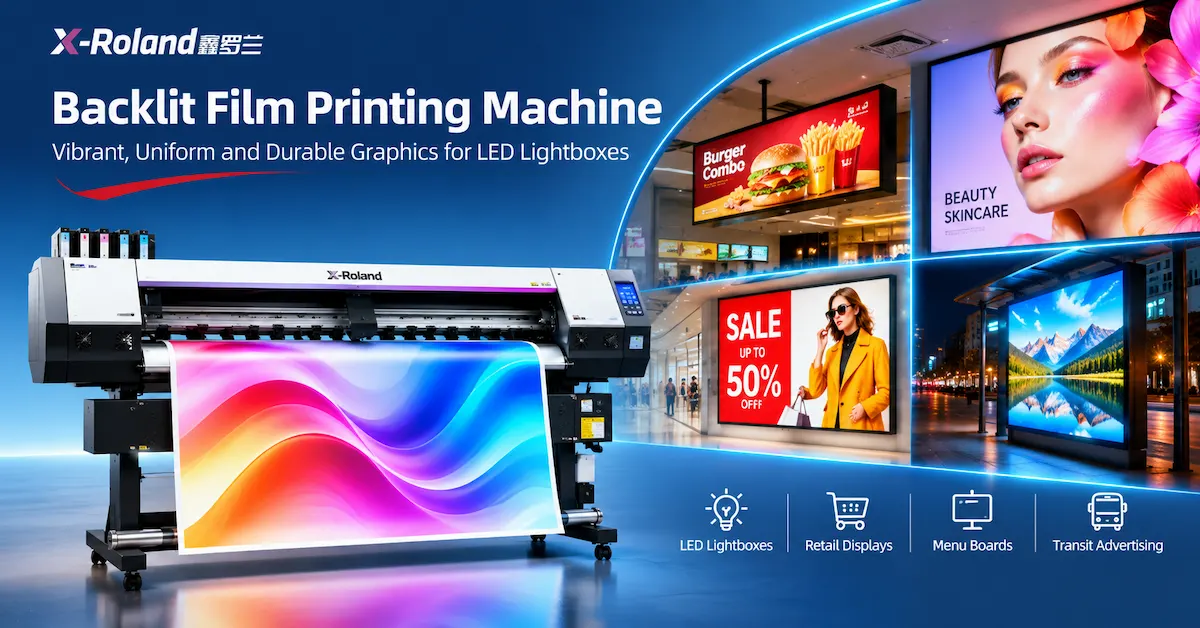
TL;DR: The right backlit film printing machine must produce graphics that maintain appropriate color density, detail, and uniformity when illuminated from behind. For commercial lightbox production, a compatible eco-solvent roll printer can be an effective solution, but printhead speed alone cannot guarantee successful results. Buyers must evaluate translucent film, ink coverage, RIP profiles, LED illumination, diffusion, and final lightbox construction together.
A common problem in illuminated signage production is that printed graphics look attractive on a worktable but appear pale, uneven, or excessively bright after installation in an LED lightbox.
This happens because conventional frontlit graphics are viewed primarily through reflected light, while backlit graphics depend on light passing through the printing material and ink layers.
For signage manufacturers, retail display suppliers, advertising workshops, and equipment distributors, the purchasing challenge is therefore not simply choosing a high-speed digital printer. It is identifying a production system that delivers consistent results under actual illuminated display conditions.
This guide compares backlit printing technologies, explains film and color-density requirements, evaluates relevant X-Roland equipment, and provides a practical production testing framework.
How Do Backlit Film Printing Technologies Compare?
Several digital printing technologies can produce illuminated graphics when paired with qualified materials.
The best method depends on media compatibility, required image density, production volume, display environment, and operating costs.
| Comparison Factor | Eco-Solvent Printing | UV Roll-to-Roll Printing | Latex Printing |
|---|---|---|---|
| Printing process | Solvent-based ink deposition and drying | UV-curable ink deposition and curing | Water-based latex ink deposition and thermal processing |
| Backlit media | Compatible coated PET and other qualified translucent media | Qualified UV-printable backlit films | Compatible latex-printable films |
| Color-density control | Ink limits, profiles and supported print modes | Ink-layer configuration and UV curing settings | Profiles, ink coverage and curing settings |
| Production requirements | Ventilation, drying and media handling | Appropriate curing and ink-film compatibility | Suitable thermal settings and media compatibility |
| Main limitation | Excessive ink can impair drying or film performance | Ink flexibility and film adhesion require verification | Heat-sensitive media require evaluation |
| Buyer priority | Film compatibility and illuminated color quality | Curing, adhesion and layer control | Film stability and color consistency |
Comparison conclusion: No single printing technology guarantees the best illuminated graphics in every application.
For a business already producing roll-fed advertising graphics, a properly configured eco-solvent system may provide useful versatility. However, the final decision must be based on the chosen backlit film and real lightbox tests.
Explore X-Roland's eco-solvent printing equipment to review available configurations.
Key Takeaways
-
Evaluate graphics with the lightbox switched on. Reflected-light appearance alone cannot determine illuminated color quality.
-
Select a qualified translucent film. PET backlit film, translucent adhesive vinyl and reinforced backlit banner materials have different properties.
-
Control ink density carefully. Insufficient density can produce weak colors, while excessive ink can create drying or adhesion problems.
-
Check LED diffusion. Hotspots and brightness variation may originate from the lighting assembly rather than the printer.
-
Compare accepted output instead of advertised speed. Printing, inspection, drying, finishing and installation all affect throughput.
-
Request application-specific samples. A trustworthy equipment supplier should help buyers assess real media and display requirements.
The Technical Basis: Why Backlit Printing Requires Different Color Control
A backlit graphic is illuminated from behind, allowing light to pass through translucent material and printed ink before reaching the viewer.
A conventional frontlit print is viewed mainly through light reflected from its surface.
This fundamental difference changes how colors, contrast, and image density appear.
The 3M technical bulletin Production: Backlit Signage (Revision A, December 2024) explains that successful illuminated graphics can require additional image density and careful control of lighting conditions.
The guidance also discusses light-diffusing materials, translucent films, multiple imaging layers, and the risks of excessive ink coverage.
Avery Dennison's DuraView polyester media similarly demonstrates how specialized translucent PET films are designed for wide-format backlit graphics.
Technical implication: Before purchasing a backlit film printing machine, buyers should verify that the proposed printer, ink, film and illuminated display system work together.
Why Do Backlit Graphics Look Washed Out After Installation?
A graphic may look sufficiently saturated when viewed under ordinary room lighting but appear weaker when illuminated from behind.
There are four common causes.
1. Insufficient Printed Image Density
When a powerful light source passes through a low-density printed area, colors may appear pale and blacks may lose depth.
The solution is not automatically to maximize ink delivery. Instead, test qualified print modes and media profiles that provide suitable transmitted-light appearance without exceeding the supported ink limit.
2. Incorrect Media Profiles
Using a generic vinyl or banner profile for specialized backlit film may produce unsuitable ink coverage and tonal reproduction.
A proper ICC profile should correspond to the printer, ink, RIP, material and production mode.
3. Uneven LED Illumination
Visible LED points, bright spots or dark regions can cause inconsistent graphics even when the printed image is uniform.
Light diffusion, LED spacing, box depth and internal construction influence the final appearance.
4. Material Translucency Differences
Different films transmit and scatter light differently.
A film designed for frontlit advertising may not provide the correct brightness or diffusion for illuminated displays.
Common Backlit Printing Problems
| Observed problem | Possible cause | Recommended check |
|---|---|---|
| Colors appear faded when illuminated | Insufficient image density | Compare approved backlit print modes and illuminated samples |
| Blacks appear gray | Excessive light transmission or insufficient optical density | Evaluate ink density and film construction |
| Visible LED hotspots | Inadequate diffusion or unsuitable lighting arrangement | Inspect diffuser, LED spacing and lightbox depth |
| Color changes between day and night | Reflected/transmitted color difference | Approve samples in both lighting conditions |
| Printed film wrinkles | Feeding tension, heat or material instability | Test roll transport and processing settings |
| Ink smears during finishing | Incomplete drying or unsuitable media | Verify film and ink specifications |
| Uneven graphic brightness | Lighting or diffusion inconsistency | Inspect the assembled display |
These symptoms should be investigated systematically rather than attributed automatically to the printer.
Which Backlit Film Materials Are Suitable for Commercial Lightboxes?
Material choice affects print quality, installation, durability and production cost.
Polyester PET Backlit Film
PET backlit films are commonly used for illuminated posters, retail displays, transit graphics and lightbox inserts.
Qualified polyester media can offer dimensional stability and controlled light diffusion.
For example, Avery Dennison DuraView includes translucent polyester materials developed for solvent-based wide-format printing, while other specialty films support compatible UV or latex workflows.
Translucent Adhesive Vinyl
Translucent adhesive films are commonly used in illuminated sign-face constructions.
They may be applied to qualified rigid substrates, such as appropriate acrylic panels, using the film manufacturer's instructions.
The adhesive, transparency and intended viewing surface must be considered.
PVC Backlit Banner
Reinforced PVC backlit banners are used in selected larger illuminated advertising displays.
They differ from PET films in construction, weight, tension requirements and finishing methods.
Some projects require welded or reinforced edges rather than simply trimming a flat film insert.
Backlit Material Comparison
| Material | Common application | Main benefit | Main limitation |
|---|---|---|---|
| Translucent PET film | Retail lightboxes and illuminated posters | Controlled diffusion and dimensional stability | Requires compatible media coating and handling |
| Translucent adhesive vinyl | Illuminated acrylic sign faces | Suitable for defined adhesive sign constructions | Substrate preparation and application are important |
| Reinforced PVC backlit banner | Larger advertising lightboxes | Available in flexible, reinforced constructions | Weight and tension must be evaluated |
| Specialty light-diffusing film | Displays requiring improved illumination uniformity | Helps distribute light | Reduces light transmission according to its design |
Material selection rule: Always request the film's technical data sheet, supported printing technology, coating information, dimensional stability requirements, and finishing instructions.
How Does Ink Density Affect Illuminated Color Quality?
Ink density influences the amount of light passing through the printed design.
Low image density can lead to pale colors, while excessive ink may cause incomplete drying, unstable color or material performance problems.
Single-Layer vs Multi-Layer Imaging
Some backlit production methods use additional image or ink layers to achieve the required illuminated density.
3M's backlit signage bulletin discusses the use of multiple imaging layers for certain graphic constructions.
However, this does not mean every eco-solvent printer should automatically print the same image twice.
Multiple-layer workflows must be supported by the equipment, RIP software, ink and media system.
Never exceed the ink coverage recommended by the ink or film manufacturer simply to produce darker graphics.
How to Test Ink Density
Prepare a representative test chart containing:
-
Solid primary colors and dark backgrounds.
-
Neutral gray gradients.
-
Photographic highlights and shadow details.
-
Small white text on dark backgrounds.
-
Corporate colors requiring repeatable appearance.
Print samples using qualified settings.
Then evaluate the results in the actual lightbox with the selected LED system.
Choose the configuration that delivers acceptable transmitted-light color while maintaining film and ink compatibility.
Which X-Roland Printers Can Buyers Evaluate for Backlit Film Printing?
X-Roland, associated with Guangzhou Jihui Electronic Equipment Co., Ltd., offers roll-fed printing equipment with several configurations relevant to commercial display graphics.
Its published specifications identify backlit or lightbox-related media among the applications of several models.
X-Roland Printer Comparison
| Model | Listed width | Printhead configuration | Published 4-pass speed | Potential application |
|---|---|---|---|---|
| XL-1601H | 1600 mm media | 1 × Epson I3200 | 23 m²/h | Compact illuminated display production |
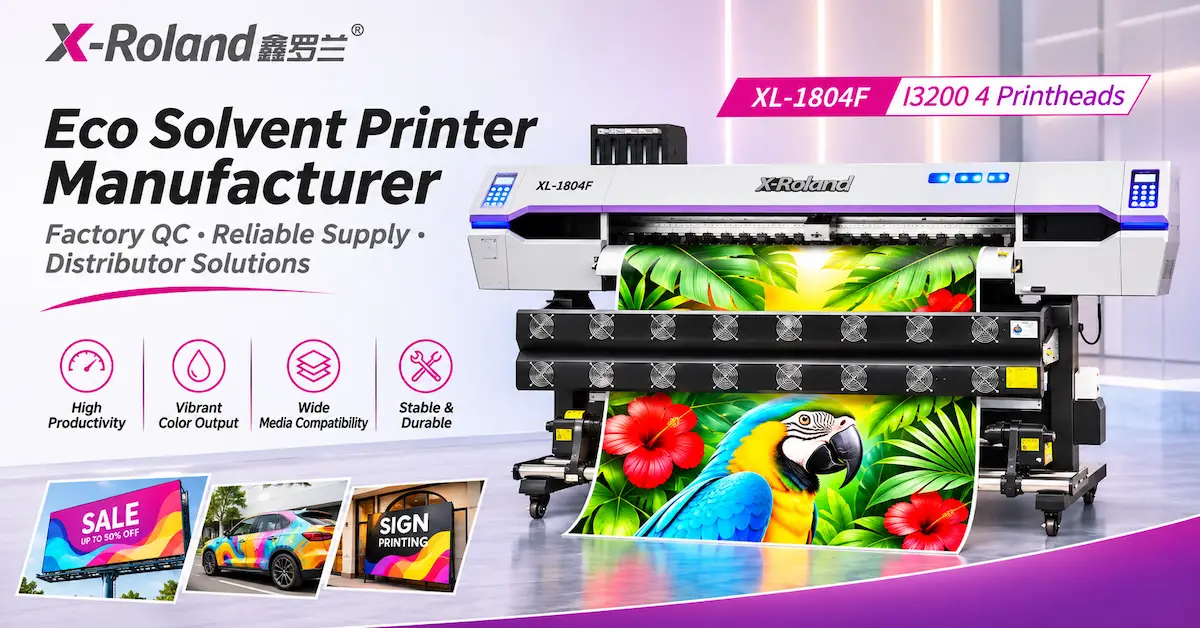
| XL-1804F | 1850 mm media | 4 × Epson I3200 | 76 m²/h | Higher-throughput commercial backlit graphics |
| XL-3202Q | 3200 mm | 2 × I3200 option | 30 m²/h | Wider display media |
| XL-3204Q | 3200 mm | 4 × Epson I3200 | 60 m²/h | Higher-volume wide-format signage |
These are supplier-published reference specifications, not directly comparable illuminated-output benchmarks. Speeds are not verified on identical backlit films. Confirm the selected ink system, actual printable width and qualified media before purchasing.
XL-1601H: Compact Backlit Graphics Production
The X-Roland XL-1601H I3200 Eco Solvent Printer provides a single-head configuration with a listed 1600mm media width.
Its product page lists backlit film among potential media and describes a feeding and take-up system, continuous ink supply and three-stage drying.
This model is worth evaluating for businesses producing smaller illuminated posters, menu board inserts and retail display graphics.
XL-1804F: Higher-Throughput Commercial Printing
The X-Roland XL-1804F Four-Head Printer uses four Epson I3200 printheads and a listed 1850mm media width.
Its published features include temperature-controlled heating, external drying, automatic cleaning and media-handling components.
The product page lists backlit/display media among its applications.
Businesses handling recurring illuminated display orders may consider this configuration, subject to actual film testing.
XL-3202Q: Wider Lightbox Graphics
The X-Roland XL-3202Q Dual-Head Printer provides a listed 3200mm width and I3200/F1080 printhead configuration options.
The product specifications include backlit and display media.
This model may be useful when the intended graphics require additional width.
XL-3204Q: Wide-Format Production Capacity
The X-Roland XL-3204Q Four-Head Printer lists a 3200mm width and four Epson I3200 printheads.
Its published reference speed is 60 m²/h at 4 pass.
For larger advertising production facilities, the configuration may be worth evaluating when wide media and production volume are important.
Important: The machine specifications above do not establish that all models can perform specialized multilayer backlit printing or that they include white ink. These functions must be confirmed for the quoted configuration.
How Does LED Lightbox Construction Affect Print Quality?
A high-quality print can still appear poor if the illuminated sign is incorrectly assembled.
The lightbox itself is part of the final imaging system.
LED Spacing and Lightbox Depth
LED location, distribution and distance from the graphic influence illumination uniformity.
A poorly matched arrangement can produce hotspots or dark areas.
Light-Diffusing Materials
Diffusers distribute light more evenly across the display surface.
However, diffusion also changes the amount of light reaching the viewer.
The final design must balance brightness with visual uniformity.
LED Color Temperature
Different LED light sources can alter perceived printed colors.
A graphic approved using one light source may not look identical under another.
Use the specified production lightbox or a representative test fixture for approval.
Viewing Distance and Display Environment
Retail menu boards are often viewed at shorter distances than large outdoor illuminated advertisements.
Required image detail, text readability, brightness and viewing conditions must therefore be considered during artwork preparation.
Quality-control recommendation: Approve the complete illuminated display rather than approving printed film and lighting hardware independently.
How Much Does Backlit Film Printing Cost?
A backlit film printing machine should be evaluated based on its ability to produce accepted, installation-ready graphics at a sustainable cost.
Typical expenses include:
-
Qualified backlit film.
-
Ink and cleaning consumables.
-
RIP and color-management requirements.
-
Electricity and operating labor.
-
Printer maintenance and depreciation.
-
Cutting, protective finishing and packing.
-
Rejected prints and rework.
The LED lightbox hardware and installation may be quoted separately, depending on the business model.
Cost per Accepted Square Meter
A practical formula is:
Cost per accepted m² = Total attributable printing and finishing costs ÷ Accepted graphic area
For example, consider a hypothetical batch with $360 in printing and finishing costs and 45m² of accepted graphics.
$360 ÷ 45m² = $8.00 per accepted m²
This is an illustrative calculation, not X-Roland equipment pricing or verified customer production data.
When preparing quotations, determine whether the price covers printed film only or a complete illuminated sign.
That distinction can significantly affect profitability.
How Can Buyers Verify Actual Backlit Production Capacity?
Published machine speed does not represent completed illuminated signage output.
Production may include profile testing, color adjustment, printing, drying, trimming, assembly and illuminated inspection.
A suitable benchmark is:
Accepted output per shift = Tested output rate × Productive hours × Acceptance rate
For example, if a tested production workflow delivers 20m² per productive hour, operates for five productive hours and achieves a 92% accepted-output rate:
20 × 5 × 0.92 = 92m² accepted output per shift
These figures are hypothetical planning assumptions.
For a meaningful factory test, ask the supplier to record the actual film, printer settings, artwork, printing duration and accepted output.
Do not use high-speed reference specifications as guaranteed production capacity.
How Should Buyers Select a Backlit Film Printing Machine in Three Steps?
Step 1: Define the Display and Material Requirements
Action: Identify whether the application involves retail lightboxes, menu boards, transit shelters, exhibition displays or larger illuminated advertising.
Confirm display dimensions, film construction, lighting design and viewing conditions.
Decision rule: Select a qualified media system before deciding which printer configuration to purchase.
Step 2: Test Illuminated Print Quality
Action: Produce representative artwork samples using the proposed printer, ink, film and RIP settings.
Evaluate color density, shadow detail, gradients and illumination uniformity in the actual lightbox.
Decision rule: Reject configurations that produce unacceptable illuminated color or cannot meet the film manufacturer's processing requirements.
Step 3: Compare Total Production Economics
Action: Measure printing throughput, accepted output, material utilization, finishing time, maintenance requirements and equipment costs.
Decision rule: Select the system that meets the required display quality at a sustainable cost rather than relying solely on advertised speed.
Application Scenario: Producing LED Menu Board Graphics for Retail Stores
Consider a hypothetical signage company receiving an order for six illuminated restaurant menu board inserts.
Each panel measures 1.2m × 2m.
The total visible graphic area is:
6 × 1.2m × 2m = 14.4m²
Assume the production plan requires an additional 10% material allowance for handling and trimming.
The preliminary material estimate becomes:
14.4m² × 1.10 = 15.84m²
This is a planning example, not a documented customer project.
Production Challenge
The customer expects consistent menu colors across all six displays.
However, differences in LED illumination or print density may create visibly inconsistent results after installation.
Recommended Process
1. Confirm display specifications. Record dimensions, lighting configuration, film requirements and intended viewing conditions.
2. Approve one illuminated sample. Print representative photographs, colored backgrounds and menu text.
3. Record approved settings. Save the ink configuration, ICC profile, printing mode and material specification.
4. Complete the production batch. Monitor color consistency, feeding and finishing.
5. Inspect the installed displays. Compare all six panels under the intended lighting conditions.
Commercial Value
This process helps the signage company control rework, estimate material demand and document the production settings for future replacement orders.
It also demonstrates why a backlit graphics supplier should consider the complete display system before approving a printer purchase.
What Should Buyers Check Before Purchasing?
A professional equipment evaluation should include both factory capability and application-specific testing.
| Evaluation Item | What to Request |
|---|---|
| Manufacturer identity | Company details and manufacturing capabilities |
| Printer configuration | Exact model, printheads and ink system |
| Backlit media compatibility | Test prints with the intended film |
| Color-density performance | Illuminated sample comparison |
| RIP software | Compatible profiles and supported print modes |
| Media transport | Film feeding and take-up demonstration |
| Production output | Accepted graphics under representative conditions |
| Quality control | Calibration and factory testing information |
| Maintenance | Consumables, cleaning and spare-parts arrangements |
| Commercial terms | Quotation, delivery, warranty and support details |
X-Roland's published equipment service process includes reviewing substrates, production targets, artwork and sample quality before equipment recommendations.
For a project-specific evaluation, contact X-Roland with the selected backlit material, artwork and lightbox requirements.
Frequently Asked Questions
1. What is a backlit film printing machine used for?
A backlit film printing machine produces graphics on qualified translucent media for LED lightboxes, menu boards, retail advertising displays, transit shelters and other illuminated signage applications. The final display quality depends on both printing and lighting.
2. Can an eco-solvent printer print backlit PET film?
Yes, when the selected PET film is compatible with the machine's eco-solvent ink system. Buyers should confirm the media coating, RIP profile, drying requirements and finished illuminated appearance before commercial production.
3. Why do backlit prints look washed out when illuminated?
Insufficient image density, unsuitable media, incorrect printing profiles or excessive and uneven illumination can make graphics appear pale. Testing under actual backlighting helps identify the cause.
4. Is backlit film the same as ordinary printable vinyl?
No. Backlit media are designed for particular light-transmission and diffusion requirements. Ordinary vinyl may not provide the intended illuminated appearance. Select materials according to their technical specifications and application.
5. Should I use more ink when printing backlit graphics?
Not automatically. Higher image density may be required for some backlit applications, but excessive ink can cause drying and adhesion problems. Follow qualified print profiles and the manufacturer's maximum ink coverage guidance.
6. Is white ink required for backlit printing?
Not always. Many white translucent backlit films work with compatible CMYK printing systems. Clear films, special multilayer constructions or specific opacity effects may require other configurations. Confirm these requirements before purchasing.
7. What is the best printer width for LED lightbox graphics?
The appropriate width depends on the actual display dimensions and available film rolls. A 1600mm-class printer may accommodate many retail displays, while wider equipment can be useful for larger signage. Verify usable printing width and finishing margins.
8. Can a 3.2m printer produce large backlit advertising graphics?
A properly configured 3.2m printer may produce wide backlit graphics on compatible materials. Buyers should verify media feeding, roll weight, printable width, ink compatibility, finishing and illuminated color quality.
9. How can I prevent LED hotspots in illuminated signs?
Hotspots are primarily related to lightbox design. Evaluate LED placement, spacing, depth, diffuser materials and the finished graphic assembly. Reprinting the image alone may not correct uneven illumination.
10. How should I choose a reliable backlit film printer manufacturer?
Verify the supplier's equipment specifications, sample quality, media compatibility, production testing, spare-parts arrangements and after-sales support. Request illuminated samples rather than judging printer performance solely from unlit graphics.
Conclusion
Choosing the right backlit film printing machine requires more than evaluating maximum printing speed, resolution or printhead quantity. The quality of illuminated advertising depends on the complete relationship between the printer, ink, translucent film, RIP settings, image density and LED lightbox construction.
For commercial signage producers, an appropriately configured eco-solvent printer can be a practical option for backlit PET graphics and other compatible illuminated media. However, successful production requires qualified materials, controlled color density, reliable media feeding and inspection under actual illuminated conditions.
X-Roland offers several printer configurations that buyers can evaluate for commercial display production, including the XL-1601H, XL-1804F, XL-3202Q and XL-3204Q. The appropriate choice depends on graphic dimensions, actual material compatibility, tested output and production demand.
Planning to manufacture LED lightbox graphics or expand your illuminated signage business? Contact X-Roland for equipment recommendations and a quotation. Share your backlit film specifications, graphic dimensions, lighting requirements and target output to discuss a suitable printing configuration.